You just spent 3 hours inspecting a property, took 187 photos, and delivered what you thought was a thorough report. Then the calls start: "Which room is this crack in?" "I can't tell what I'm looking at in photo 47." "Where exactly is the water damage you mentioned?" Sound familiar? You're not alonepoor photo labeling is the #1 cause of post-inspection callbacks in the industry.
The difference between a 5-star review and a frustrated client often comes down to one thing: can they understand your photos without calling you? This guide reveals the exact system topearning inspectors use to create self-explanatory photo documentation. See it in action with a free demo.
The $2,400/Year Problem Nobody Talks About
Every callback costs you money. Not just in time spent on the phone, but in reputation damage, delayed payments, and lost referrals. Let's break down the real numbers:
"I was spending 45 minutes after every inspection just answering photo questions. Once I implemented a proper labeling system, those calls dropped to almost zero."— Mike R., Certified Home Inspector, Texas
The 4-Layer Photo Labeling System
Top inspectors don't just snap photos—they build visual stories that guide clients from "where is this?" to "I understand exactly what's wrong." Here's the framework:
Geographic Context
Where in the property? Floor level, room name, wall orientation (north, south, etc.).
System Category
Which building system? Electrical, plumbing, HVAC, structural, roofing, exterior.
Specific Finding
What exactly is wrong? Use precise terminology, not vague descriptions.
Visual Markers
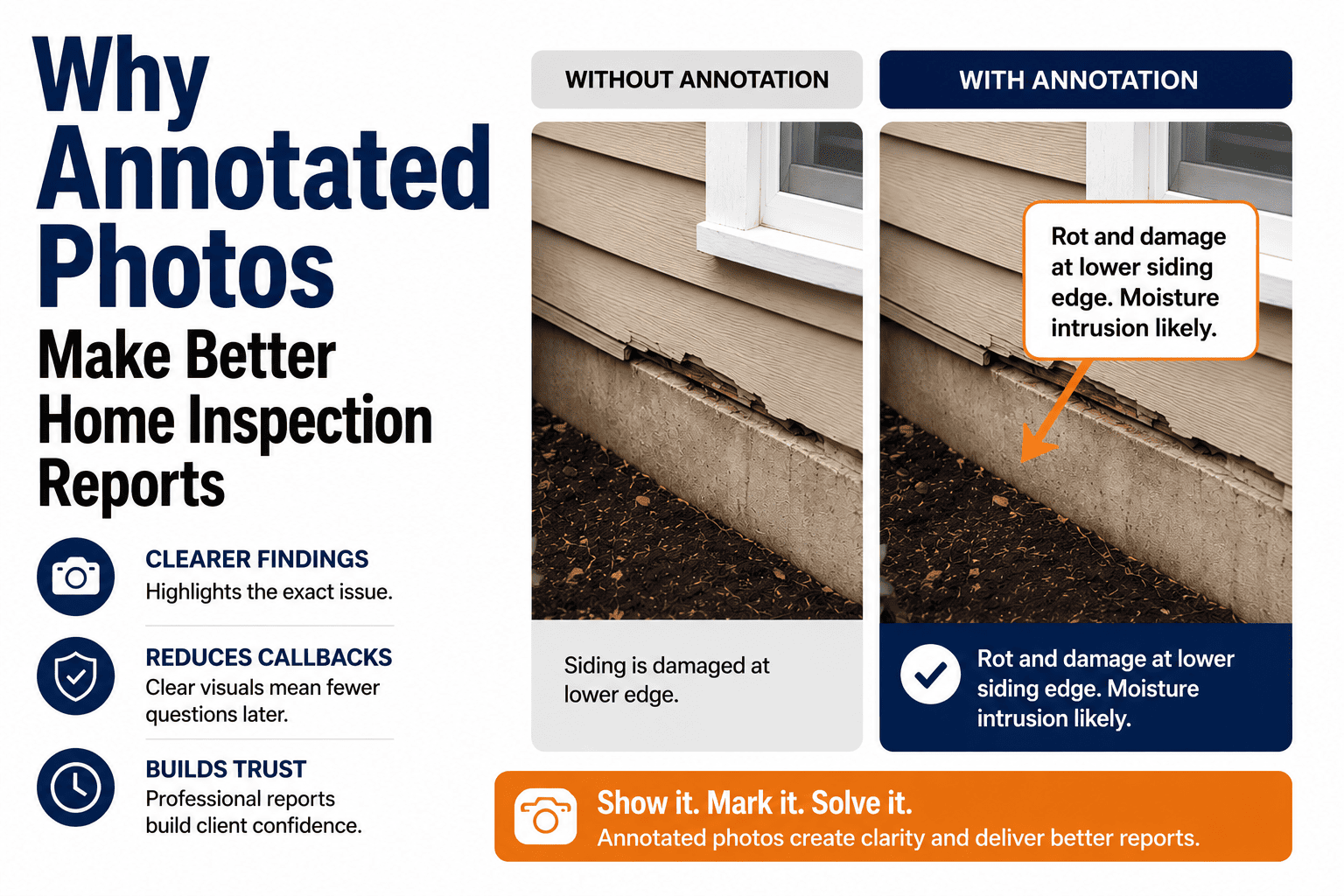
Arrows, circles, measurements. Don't make clients hunt for the defect.
Auto-Label Photos While You Inspect
HomeInspecto automatically tags photos with room, system, and timestamp. Add arrows and annotations with one tap.
Before & After: Same Defect, Different Impact
See how proper labeling transforms confusing documentation into crystal-clear communication:
IMG_4521.jpg
Kitchen_Plumbing_Leak.jpg
Annotation Tools: What Works On-Site
You need tools that work fast in the field—not fancy desktop software. Here's what top inspectors rely on:
Integrated Inspection App
Capture, label, and annotate in one workflow. Photos auto-attach to findings.
- One-tap tagging
- Built-in arrows & text
- Auto-organizes report
Phone's Built-in Markup
iOS Markup or Android editor. Free but requires manual organization.
- No extra apps
- Manual naming
- Extra assembly time
Desktop Software
Photoshop, Snagit, etc. Powerful but adds hours post-inspection.
- Pro results
- Time-consuming
- Can't do on-site
Photo Labeling Checklist
Use this checklist for every defect you document:
5 Photo Mistakes That Destroy Clarity
Problem: A close-up with no context. Client has no idea which room this is.
Fix: Always capture a wide "context" shot before zooming in.
Problem: You can see the issue, but your client can't find it in the photo.
Fix: Always add visual markers—arrows or circles take 3 seconds.
Problem: Captions like "plumbing issue" or "see photo" tell nothing.
Fix: Write captions that explain what's wrong + where + action needed.
Problem: Crawlspace photos so dark the defect is invisible.
Fix: Use proper lighting, take multiple shots, review before moving on.
Problem: Planning to label later, but forgetting which room had which issue.
Fix: Label immediately while you're still looking at the defect.
Ready to Eliminate Photo Confusion?
Join 2,000+ inspectors who deliver crystal-clear reports with HomeInspecto's built-in photo tools.
Frequently Asked Questions
A thorough inspection typically includes 100-200 photos for a standard single-family home. Quality matters more than quantity—every photo should serve a purpose.
Use: [Location]_[System]_[Issue]_[Number]. Example: "Kitchen_Electrical_NoGFCI_01.jpg" This makes photos searchable and auto-organizes them.
Modern smartphones produce excellent inspection photos. The key advantage: direct integration with inspection software for immediate labeling and annotation.
Keep all photos for at least as long as your state's statute of limitations—typically 4-10 years. Cloud storage makes long-term retention effortless.
Use high-contrast colors like red and yellow. Avoid blue (blends with sky/water) and green (blends with vegetation). Keep annotations consistent throughout reports.