
Home inspection software, done on-site.
Capture the report number, weather, photos and every finding from the field — then generate a professional report before you leave the driveway. On iOS, Android and the web.
Three steps, start to report
The same flow every time — so nothing gets missed and nothing gets forgotten.
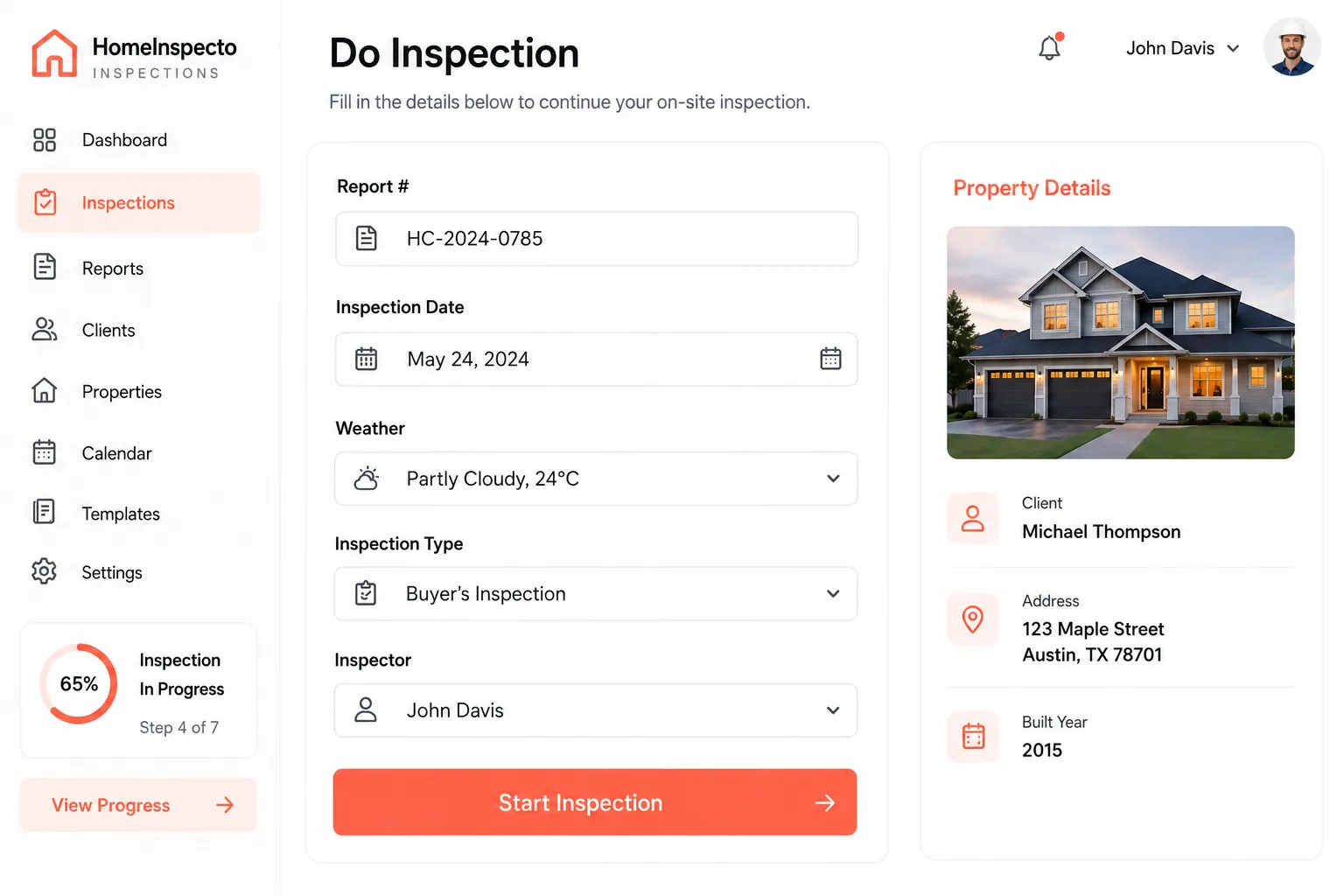
Add inspection info
Enter the report number, date, weather, inspection type and inspector, then pick the property.
Do the inspection
Work through your checklist, capture photos and rate every item on-site.
Review & generate
Check the summary and generate a professional PDF report to share with clients and agents.
Capture every detail in one place
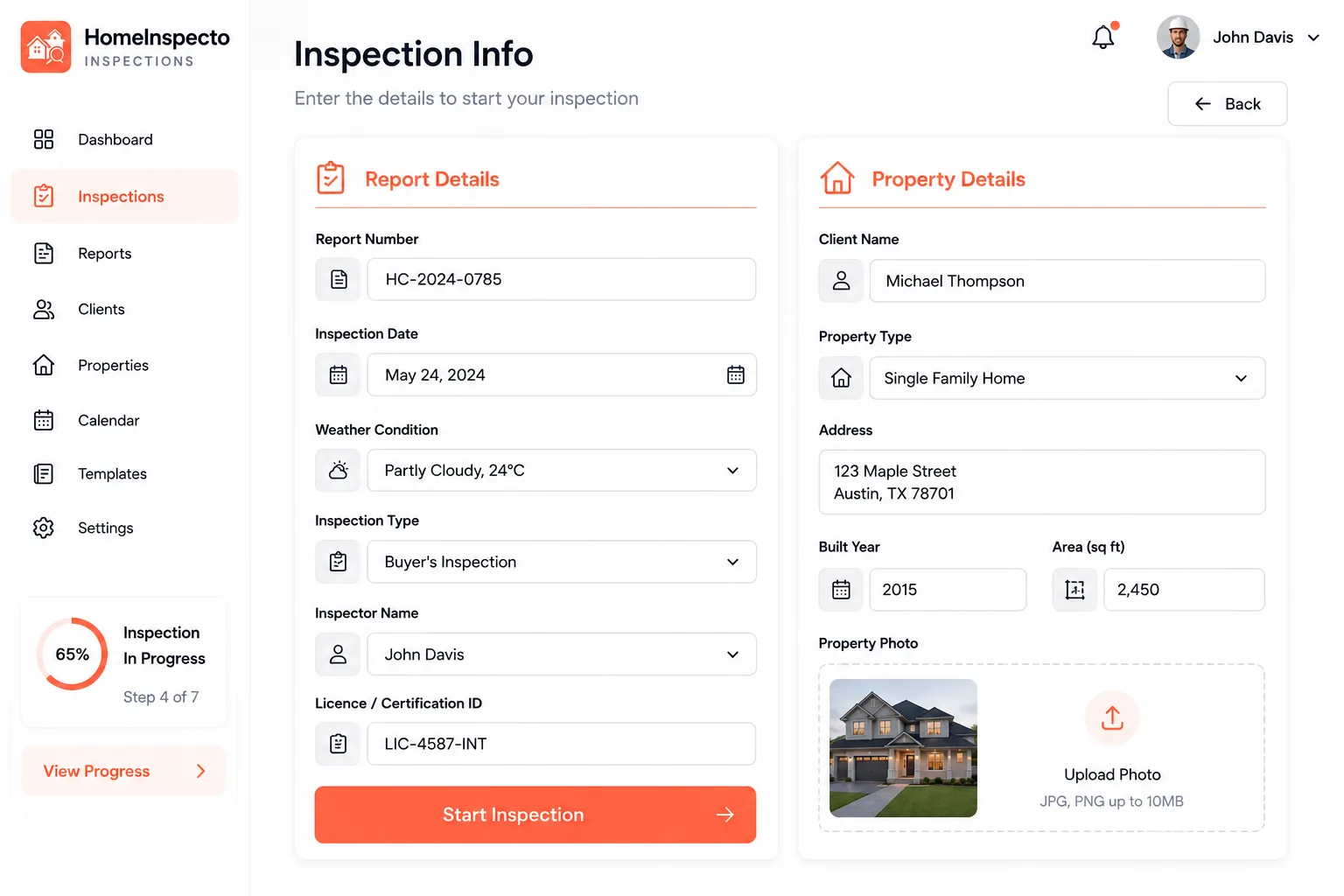
Log the report number, date, weather, inspection type, inspector and licence — and pull in the full property record so you never re-type an address.
- Report #, date, weather & inspection type
- Inspector name & licence / certification ID
- Client, property type, address, built year & area
- Property photo attached to the inspection
Inspect with ready-made or custom checklists
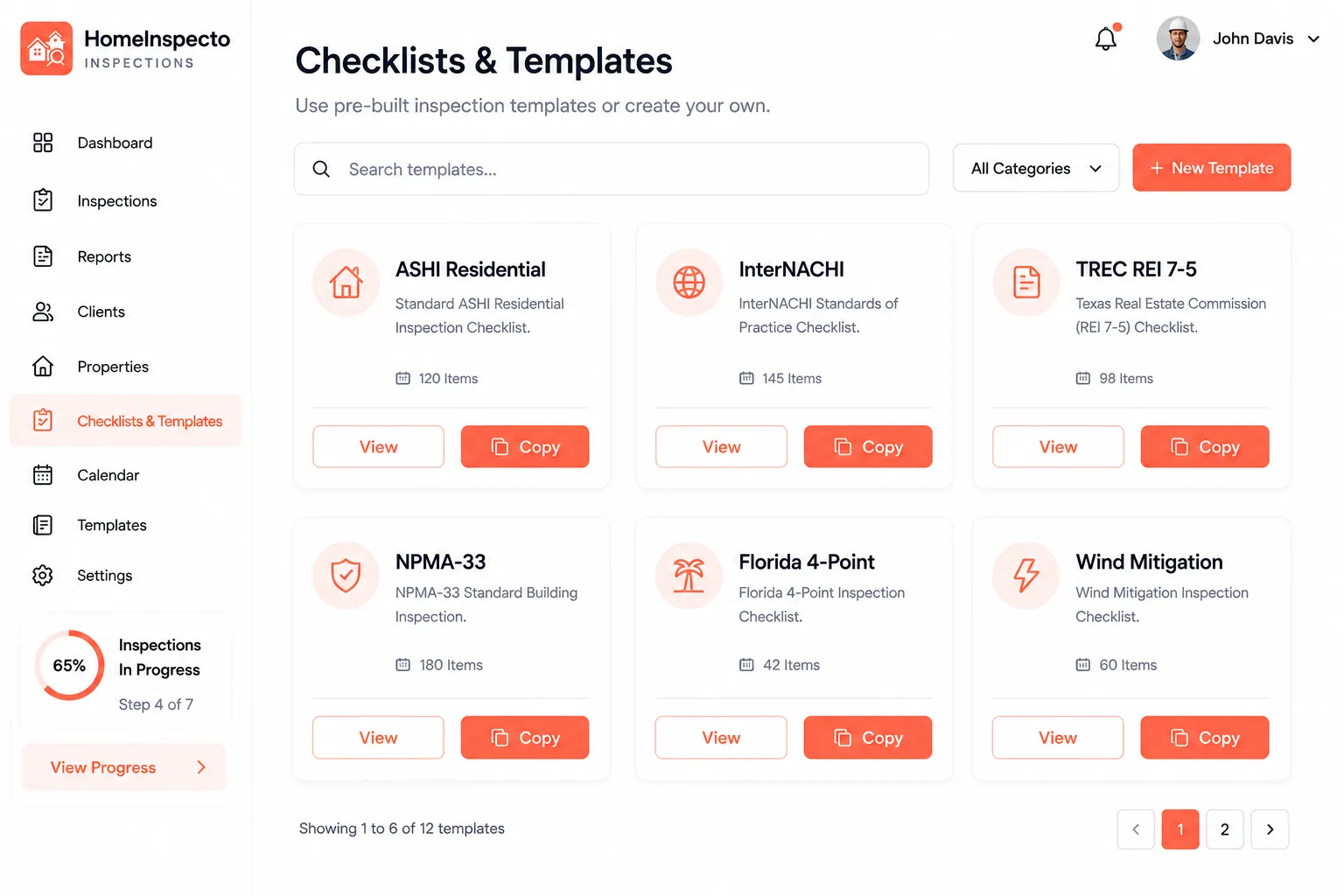
Start from a library of standard forms, or build your own with sections and items — so every inspection follows the exact standard your clients and lenders expect.
- Library: ASHI, InterNACHI, TREC, NPMA-33 & Florida forms
- Custom checklist builder with sections & items
- Bulk-import items in seconds
- Reuse the same checklist across inspections
Rate every finding in a tap
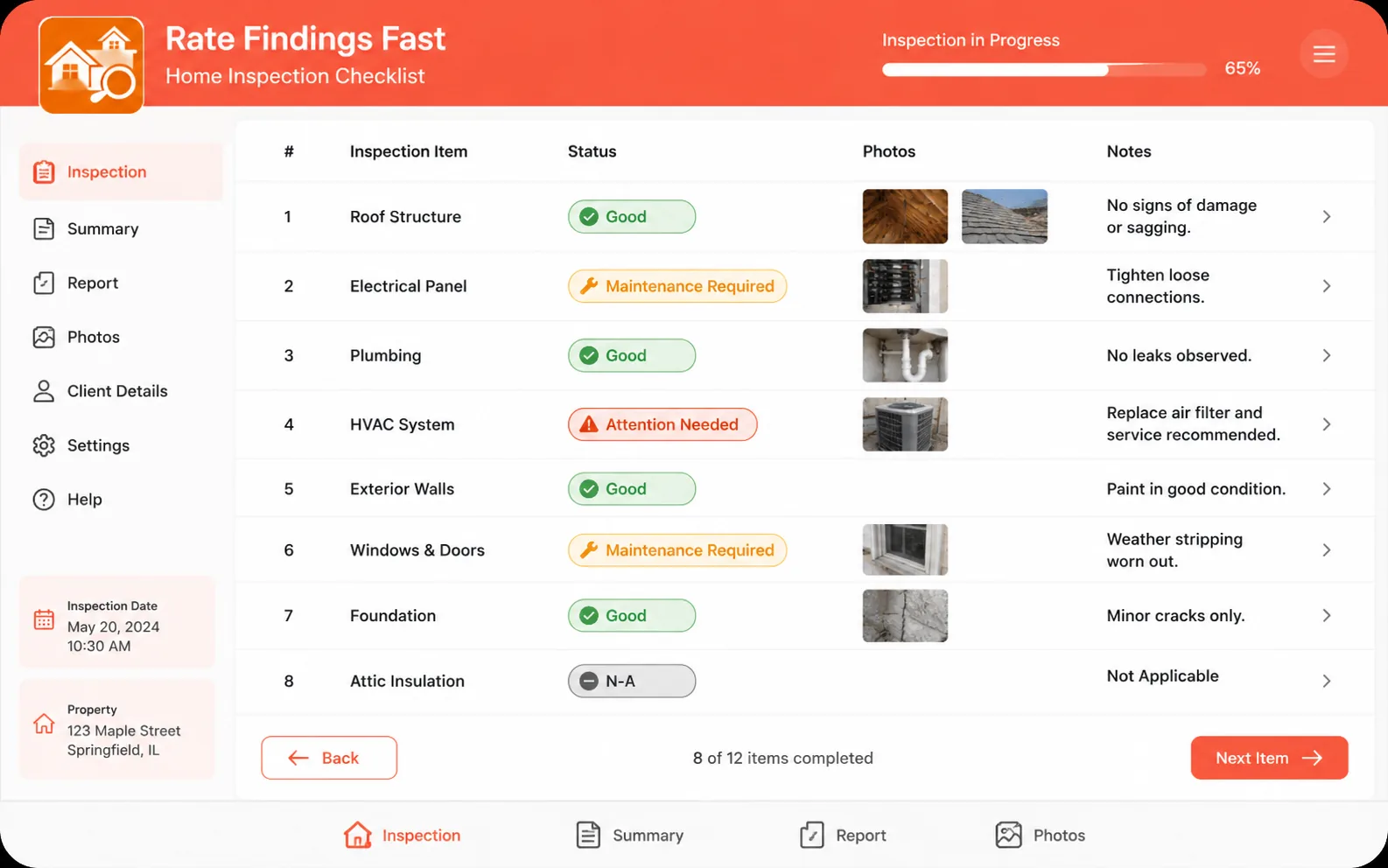
Mark each item, add a note and attach photos as you go — the summary builds itself while you inspect.
- Status: Good · Maintenance Required · Attention Needed · N/A
- Photos & notes on any inspection item
- Required and optional items per section
- Automatic section & report summaries
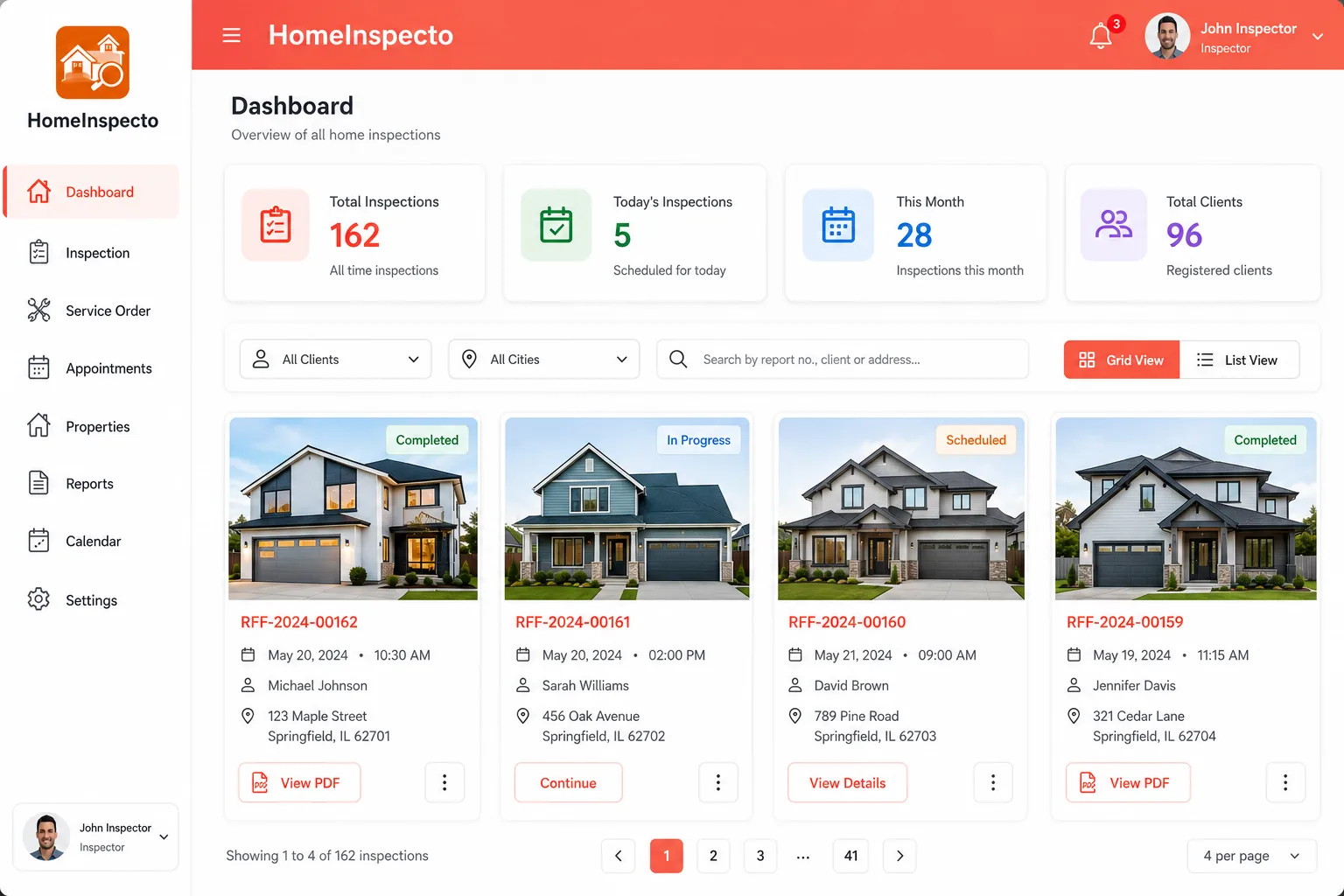
Every inspection, organised
See totals for today and this month at a glance, then find any job in seconds and export its report.
- Totals for inspections, today, this month & clients
- Filter by client name or city, plus full search
- Switch between grid and list views
- Download any inspection as a PDF in one tap

Inspect anywhere, on any device
Native iOS and Android apps let you inspect in the field, then pick up on the web back at the office — your data stays in sync.
Inspect faster, miss nothing
Everything you need on-site — so the paperwork is done by the time you're back in the truck.
Inspect faster
Run your checklist, snap photos and rate findings in one flow — no re-typing back at the office.
Never miss an item
Standard and custom checklists keep every section covered on every inspection.
Questions, answered
Everything about running inspections with Home Inspecto — on the web, iPhone, iPad and Android.
Start inspecting with Home Inspecto
Run your next inspection on-site and deliver a professional report the moment you're done.