
Maintenance work order software, from finding to fix.
Turn inspection findings into tracked work orders — raise by type, assign a technician, add cost and notes, and follow every job from open to completed.
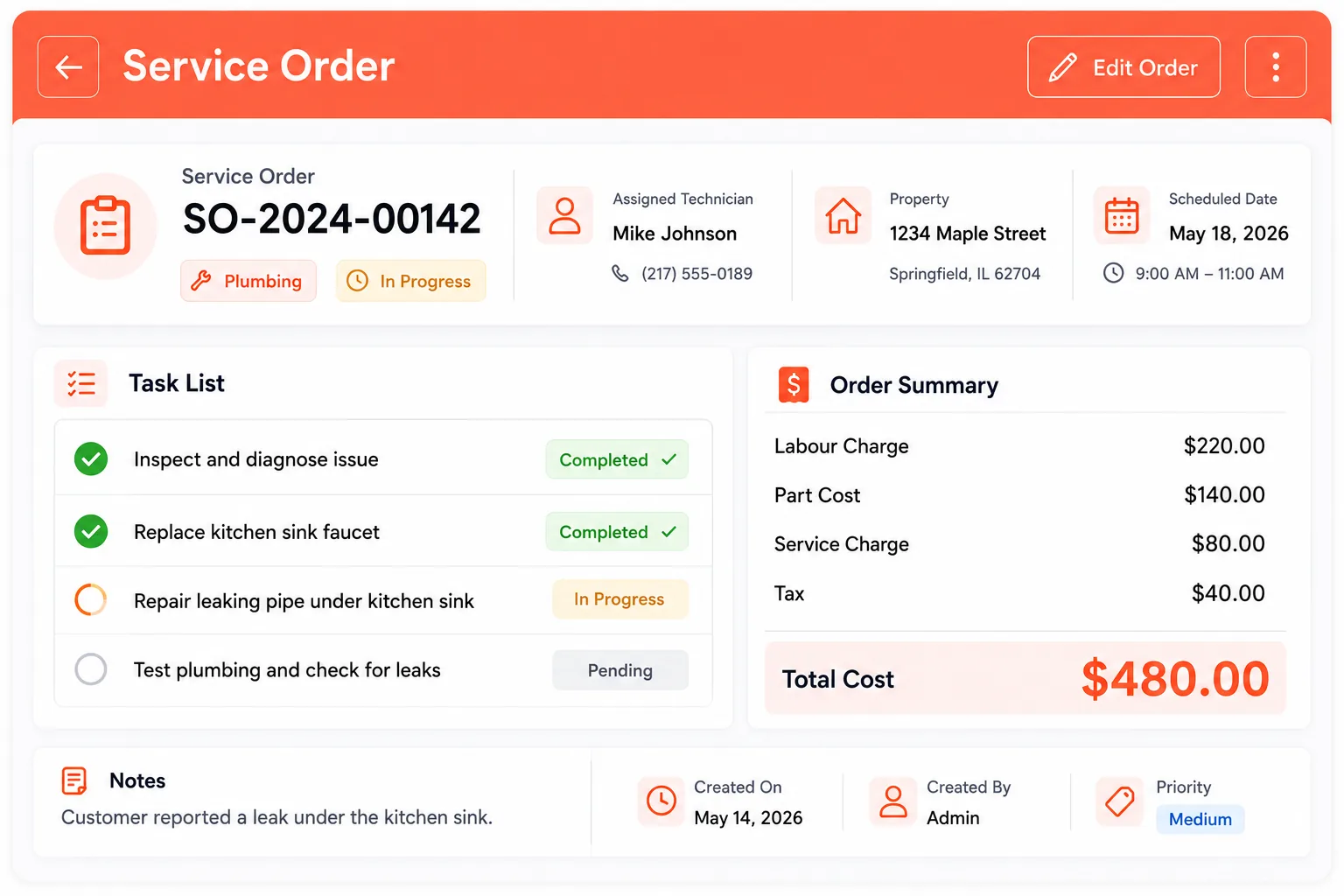
Raise it, assign it, close it
Every repair follows the same clear path — nothing slips through the cracks.
Raise the order
Create a service order by type, add a title, description and the client's property.
Assign a technician
Assign the job, add tasks, parts and cost, and set the service date.
Track to completed
Move it through Open, In Progress, On Hold and Completed — with a clear cost total.
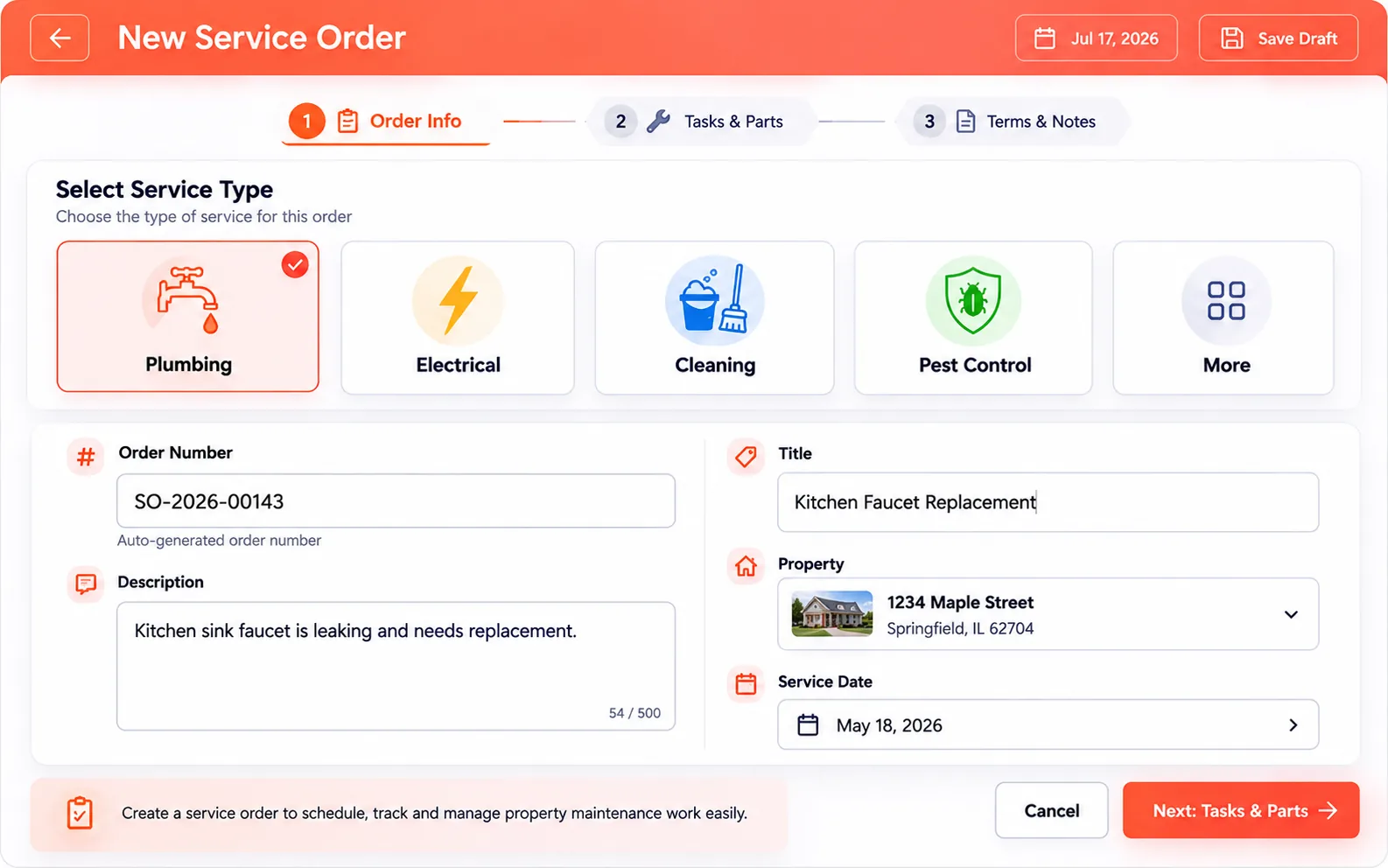
A work order for any job
Whatever the finding, spin up the right order in seconds and route it to the right person.
- Plumbing, electrical, cleaning, pest control & more
- Order number, title, description & service date
- Linked to the client and property
- 3-step create: order info, tasks/parts, terms & notes
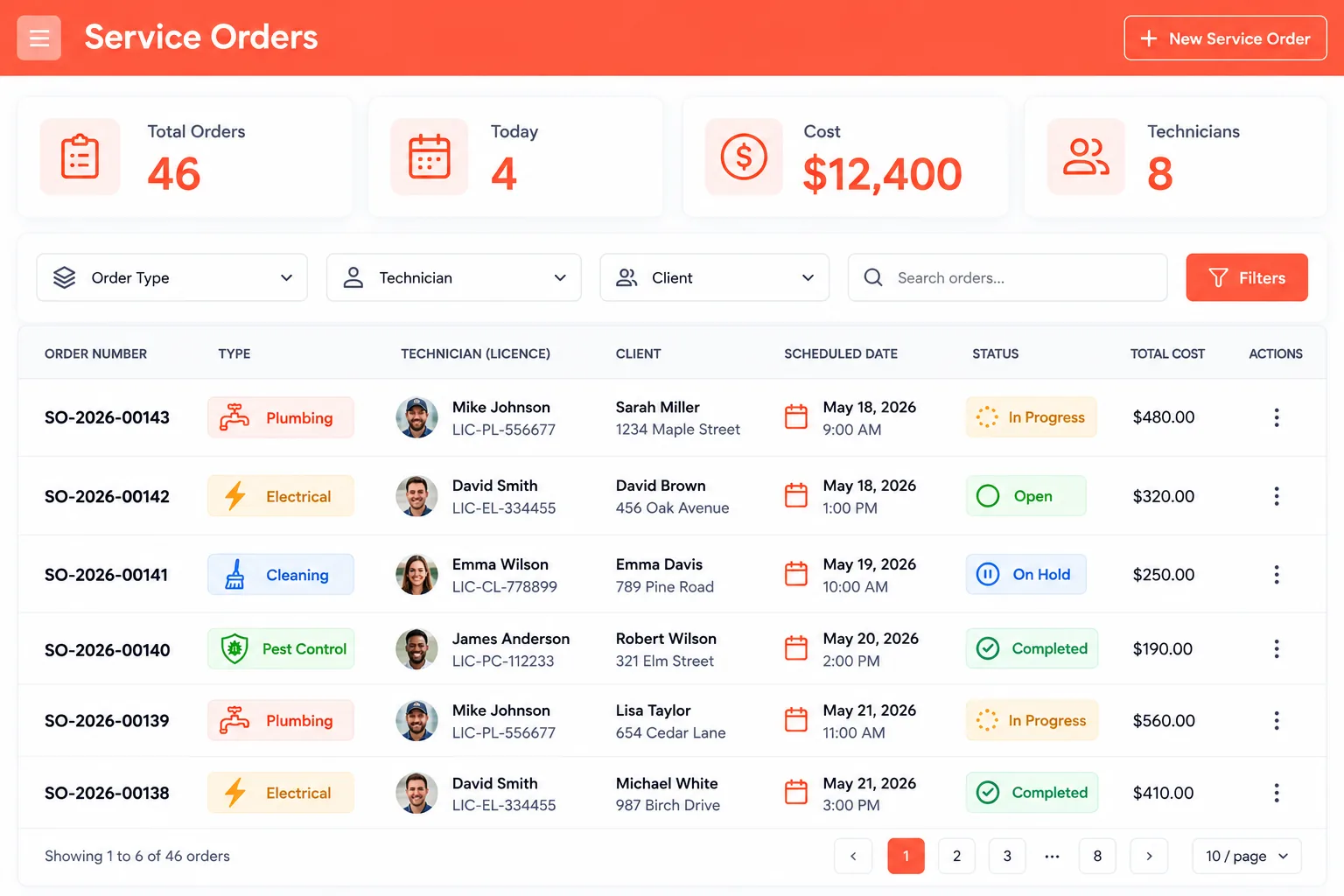
Always know where every job stands
Assign a technician and watch each order move through its stages — filter to see exactly what's open.
- Status: Open · In Progress · On Hold · Completed
- Assign a technician with licence / certification
- Filter by order type, technician or client
- Totals for orders, today, cost & technicians
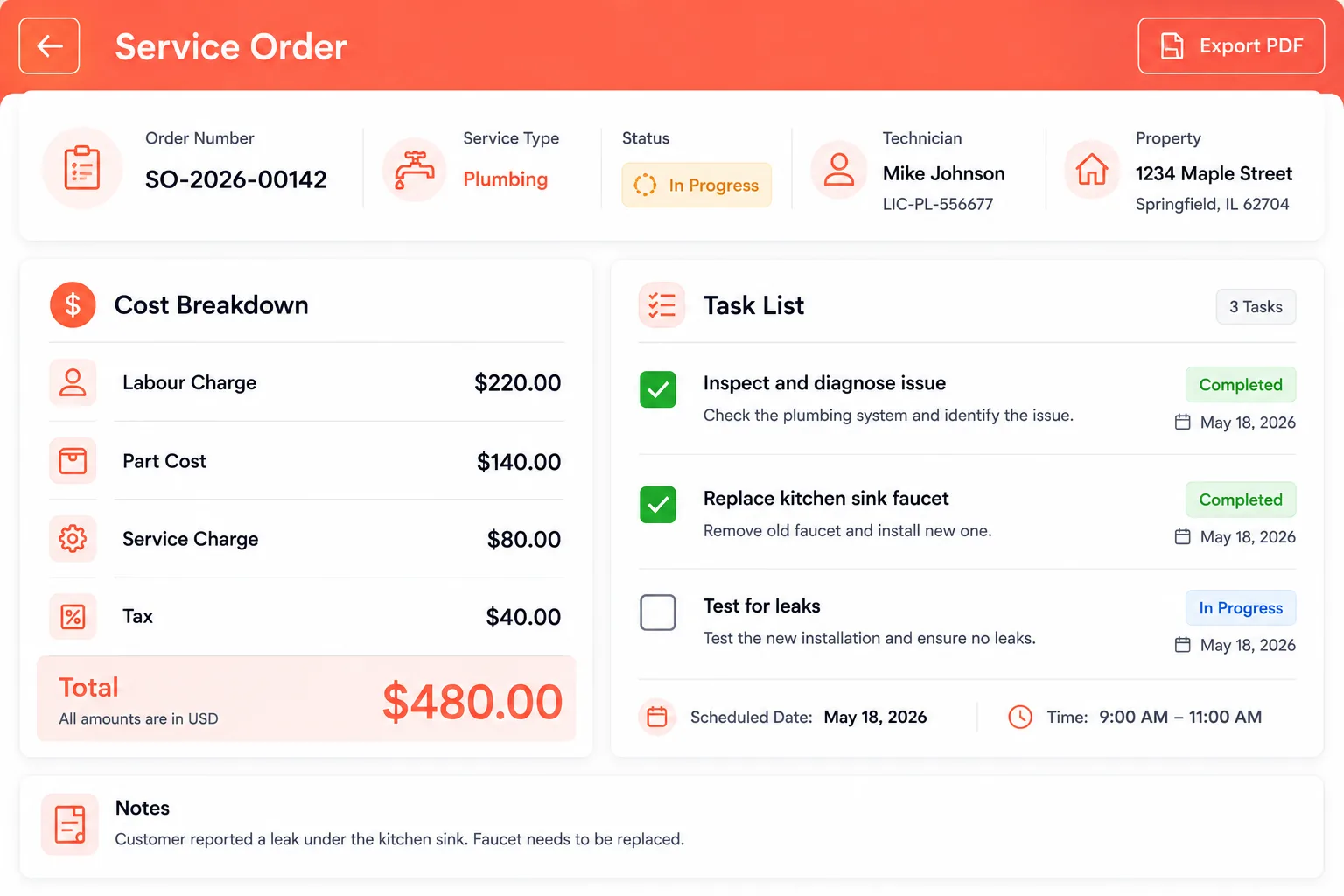
Every cost, clearly broken down
No surprises for you or your client — see exactly what a job costs and what's involved.
- Labour charge, part cost, service charge & tax
- Running total per order
- Task list to track the work
- Export the order as a PDF
Close the loop after the report
Findings don't just get flagged — they get fixed, tracked and costed.
Findings to fixes
Turn a defect into a work order and keep the repair moving — no separate tools.
Assign & track
Every order has an owner and a status, so nothing gets forgotten.
Cost visibility
Labour, parts, service and tax add up automatically — clear for you and the client.
Questions, answered
Everything about maintenance & repair work orders in Home Inspecto — on web, iPhone, iPad and Android.
Turn findings into fixes
Raise, assign and track maintenance and repair work orders — all in one place.