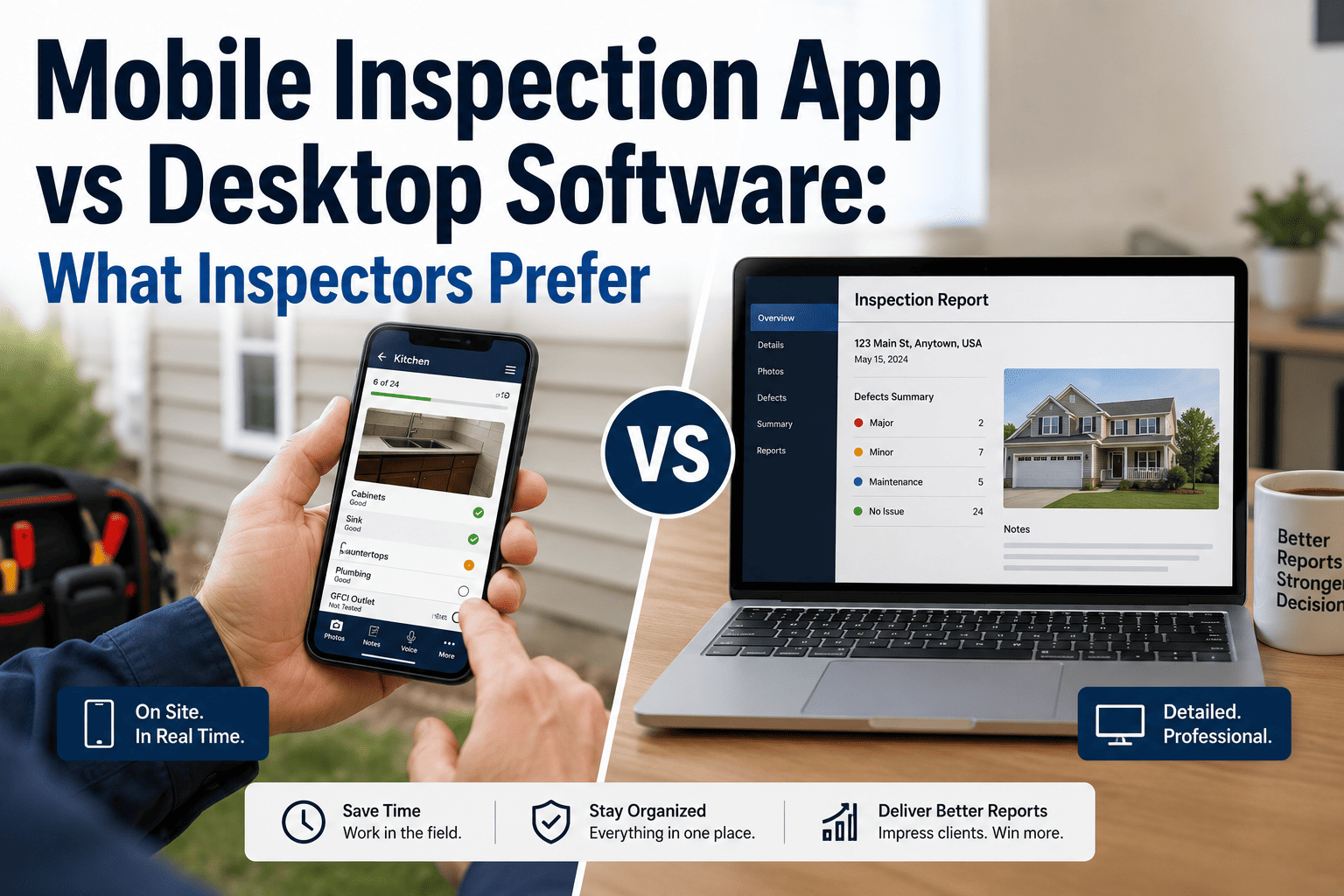
Managing multiple inspections, clients, schedules, and reports becomes increasingly complex as inspection businesses grow beyond solo operations. HomeInspecto's web portal addresses these management challenges through centralized platform accessible from any desktop computer or laptop, enabling inspection professionals to oversee entire business operations, manage client relationships, track inspection schedules, review team performance, and access comprehensive business analytics—all from comfortable office environment complementing mobile field capabilities that make HomeInspecto's smartphone experience exceptional.
The web portal isn't redundant desktop version of mobile app but complementary management interface optimized for tasks better suited to larger screens and keyboard input. While mobile apps excel at field inspection conduct, the web portal provides superior experience for administrative workflows requiring extensive data entry, detailed report review, comprehensive business analysis, and multi-client management spanning numerous ongoing and completed assessments. Understanding how web portal and mobile app work together creates complete inspection business management system leveraging each platform's strengths for maximum efficiency and comprehensive operational control.
Access from any web browser
Sync with mobile app instantly
Client and inspection management
Business visibility and control
Keep reading to discover how HomeInspecto's web portal transforms inspection business management from scattered chaos into organized control. Learn about centralized client management, scheduling capabilities, team oversight, and business analytics that complement mobile inspection workflows. Access your web portal and experience comprehensive business management today.
HomeInspecto Web Portal Features
HomeInspecto's web portal provides comprehensive management capabilities designed for desktop use where larger screens and keyboard input enable efficient administrative workflows. The client management system maintains complete customer databases including contact information, property histories, past inspection records, communication logs, and billing details accessible instantly for relationship management and service continuity. Inspection scheduling tools visualize calendar availability, manage appointment bookings, coordinate team assignments for multi-inspector operations, and send automated reminders reducing no-shows and last-minute cancellations.
Report management features enable reviewing completed inspections, accessing historical documentation, searching archives for past assessments, and generating reports for business analysis or client requests. Team collaboration capabilities support multi-inspector businesses through user management, permission controls, performance tracking, and workflow coordination ensuring quality consistency across distributed operations. Business analytics dashboard provides insights into inspection volume, revenue trends, client sources, and operational metrics informing strategic decisions and growth planning. These portal features work seamlessly with mobile apps—data entered on phones appears instantly in web portal, and portal changes sync immediately to mobile devices creating unified system rather than disconnected platforms.
Client Management: Centralized Customer Database
The web portal's client management system maintains comprehensive customer information enabling personalized service and efficient relationship management. Store unlimited client contacts with detailed profiles including names, emails, phone numbers, property addresses, and custom notes about preferences or special requirements. Track complete inspection history for each client showing all past assessments, reports generated, findings documented, and services provided creating continuity when clients return for additional properties or follow-up inspections years after initial service.
Communication history logs all interactions—emails sent, phone calls noted, appointment confirmations, and follow-up correspondence—providing context for future engagements and preventing awkward situations where you've forgotten previous conversations or commitments. Billing records track invoices, payments, outstanding balances, and payment methods enabling efficient financial management and preventing revenue leakage from forgotten invoices or missed collections. The centralized database proves particularly valuable for growing businesses where tracking dozens or hundreds of clients manually becomes impossible, while even solo operators benefit from systematic organization preventing important details from slipping through cracks during busy periods.
Scheduling and Calendar Management
HomeInspecto's scheduling system provides visual calendar interface showing all appointments, availability, and booking conflicts at a glance. Color-coded scheduling helps distinguish appointment types—residential inspections, commercial assessments, follow-ups, or administrative time—enabling quick understanding of daily and weekly commitments. Drag-and-drop functionality simplifies rescheduling when clients request changes or unexpected situations require calendar adjustments, with automatic conflict detection preventing double-booking that creates embarrassing situations and client dissatisfaction.
Team scheduling capabilities coordinate multiple inspectors' calendars showing collective availability, individual assignments, and workload distribution ensuring balanced assignments and preventing situations where some team members become overwhelmed while others lack sufficient work. Automated reminder systems send confirmation emails and text messages to clients before appointments, reducing no-shows that waste time and decrease revenue. Integration with client database pulls property addresses and contact information automatically when scheduling appointments, eliminating repetitive data entry and reducing booking errors from transcription mistakes. Start organizing your schedule and see how visual calendar management improves booking efficiency and prevents scheduling chaos.
Report Access and Archive Management
The web portal provides comprehensive access to all inspection reports past and present, creating searchable archive enabling quick retrieval when clients request copies years later or when you need to reference previous assessments for comparison purposes. Advanced search functionality finds reports by client name, property address, inspection date, or specific findings documented, making archives genuinely useful rather than inaccessible storage where old reports effectively disappear despite theoretical retention.
Batch operations enable managing multiple reports simultaneously—sending several reports to clients at once, downloading archives for backup, or updating multiple records when business information changes like new logo or updated contact details. Report analytics show which templates get used most frequently, average completion times, common findings patterns, and other insights informing workflow optimization and quality improvement initiatives. For inspection businesses subject to regulatory retention requirements or professional liability considerations, systematic archive management through web portal ensures documentation remains accessible and organized meeting legal obligations while supporting liability defense if claims arise years after inspections complete.
Take Control of Your Inspection Business
Stop juggling spreadsheets and scattered notes. Experience centralized management through HomeInspecto's comprehensive web portal designed for efficiency.
Access Your Portal See Portal DemoWhy Organization Determines Business Success
Inspection business success requires more than technical expertise and quality assessments—effective organization determines whether operations run smoothly enabling growth, or collapse under administrative chaos limiting capacity regardless of inspection capabilities. Understanding why organization matters helps appreciate HomeInspecto web portal's role creating systematic business management rather than reactive crisis response that characterizes disorganized operations.
Client Relationships: Memory at Scale
Solo inspectors serving dozen clients can remember names, preferences, and history through mental recall alone. Businesses managing 50, 100, or 500 client relationships require systematic organization preventing embarrassing situations where you've forgotten previous interactions, confuse clients with each other, or fail to capitalize on repeat business opportunities because disorganization prevents recognizing returning customers. HomeInspecto's client management system provides organizational memory enabling personalized service at scale—treating client number 100 with same recognition and continuity as client number 5 despite impossibility of mental tracking at that volume.
The relationship quality enabled by systematic organization drives referral generation and repeat business that create sustainable competitive advantages. Clients appreciate being remembered—when you reference their previous property inspection or recall preferences discussed months earlier, it demonstrates professionalism and attention to detail building confidence and loyalty. Real estate agents preferentially recommend inspectors who maintain organized records enabling smooth scheduling and reliable service rather than disorganized competitors who create friction through missed appointments, forgotten details, or poor communication stemming from inadequate client management systems.
Scheduling Efficiency: Maximizing Productive Time
Effective scheduling determines how many inspections you conduct weekly and how much time you waste on unproductive activities like excessive travel between poorly sequenced appointments or sitting idle during gaps created by scheduling inefficiency. HomeInspecto's visual calendar tools enable optimizing appointment sequences—grouping inspections by geographic proximity, minimizing travel time, filling small schedule gaps with shorter assessments, and maintaining consistent daily workloads rather than alternating between overwhelming busy days and underutilized slow periods wasting potential revenue.
For team operations, coordinated scheduling prevents situations where some inspectors work overtime while others lack sufficient assignments, creating both operational inefficiency and team dissatisfaction from perceived unfair workload distribution. The scheduling system also enables strategic capacity planning—understanding current booking rates, identifying peak and slow periods, and adjusting marketing or staffing in response to demand patterns rather than reacting to crises when sudden booking surges overwhelm unprepared operations or slow periods leave expensive resources underutilized bleeding cash while generating insufficient revenue covering fixed costs.
Business Intelligence: Data-Driven Decisions
Successful businesses make informed decisions based on actual performance data rather than gut feelings or guesswork that often prove wrong. HomeInspecto's analytics capabilities provide visibility into key business metrics—inspection volume trends showing growth or decline, revenue patterns identifying seasonal variations or emerging opportunities, client source analysis revealing which marketing channels generate best returns, and operational efficiency metrics highlighting workflow bottlenecks or productivity improvements. This business intelligence enables strategic planning based on facts rather than assumptions.
Data-driven decision making proves particularly valuable for growth planning—understanding current capacity utilization informs hiring decisions, identifying profitable service lines guides marketing investment, recognizing geographic concentration patterns suggests expansion opportunities, and tracking client retention rates reveals satisfaction issues requiring attention before they become crises. Without systematic data collection and analysis that web portal provides, inspection businesses fly blind making decisions through intuition that may or may not align with reality, creating risks that thoughtful competitors using business intelligence avoid through informed strategic planning.
Web Portal Benefits: Centralized and Efficient Management
HomeInspecto's web portal delivers specific management advantages that complement mobile capabilities creating comprehensive business system leveraging each platform's strengths for maximum operational efficiency and control.
Centralized Control
Single dashboard provides complete visibility into clients, inspections, schedules, reports, and business performance. No more scattered spreadsheets or disconnected systems.
Desktop Efficiency
Larger screens and keyboard input enable faster administrative workflows than mobile devices. Right tool for office tasks complementing mobile field capabilities.
Team Coordination
Multi-inspector operations benefit from centralized scheduling, assignment management, and performance tracking ensuring smooth collaboration and quality consistency.
Business Analytics
Comprehensive dashboards provide insights into volume, revenue, client sources, and operational metrics informing strategic decisions and growth planning.
Real-Time Sync
Instant synchronization with mobile apps ensures portal and phones always show current information. No manual data transfer or version conflicts.
Anywhere Access
Web-based platform works on any computer with internet browser. Manage business from office, home, or any location with laptop and connectivity.
Centralization: Single Source of Truth
Before HomeInspecto's integrated system, inspection businesses typically juggled multiple disconnected tools—separate scheduling calendar, independent client spreadsheet, scattered email communications, isolated billing system, and unrelated report storage—creating fragmented information requiring manual synchronization and creating opportunities for inconsistencies, errors, and lost data. The web portal centralizes everything into single integrated platform where client information, inspection schedules, report archives, and business analytics coexist seamlessly within unified database ensuring consistency and eliminating redundant data entry across multiple systems.
This centralization proves particularly valuable during busy periods when juggling multiple tools becomes overwhelming and mistakes multiply through information fragmentation. When client calls requesting appointment change, you can instantly see their complete history, current booking, and available alternative times without switching between calendar app, client database, and email archives hunting for scattered information. The single source of truth also improves team coordination for multi-inspector businesses—everyone accesses identical current information rather than working from potentially outdated copies or conflicting versions that create confusion and errors affecting service quality and client satisfaction.
Efficiency: Desktop Advantages for Administrative Work
While mobile apps excel at field inspection conduct, desktop web interfaces provide superior efficiency for administrative tasks involving extensive data entry, detailed review workflows, complex scheduling coordination, and comprehensive analysis requiring large screens and keyboard input. The web portal leverages these desktop advantages—quickly entering multiple client records using full keyboard rather than smartphone typing, reviewing multiple reports side-by-side on large monitor rather than switching between documents on small phone screen, analyzing business trends through comprehensive dashboards displaying multiple metrics simultaneously impossible on mobile devices, and conducting detailed template customization or system configuration better suited to desktop precision than mobile touchscreen interaction.
This platform optimization means you use right tool for each task type—mobile apps for field inspections where portability and touch interfaces excel, web portal for office administrative work where desktop capabilities create superior efficiency. The seamless synchronization between platforms enables natural workflow transitions without forcing all activities through single interface regardless of suitability. Start inspection scheduling on desktop portal optimizing calendar layout, continue on mobile while traveling between appointments checking schedule and property addresses, complete field inspection using mobile app, then return to desktop portal for batch report review and business analysis leveraging large screen advantages. This flexible workflow optimization maximizes productivity across diverse business activities rather than accepting compromise interface trying to serve all purposes adequately but none optimally.
Scalability: Supporting Business Growth
HomeInspecto's web portal particularly benefits inspection businesses experiencing growth from solo operations toward team-based models. The client management system handles growing customer databases that exceed mental tracking capacity, scheduling coordination manages multiple inspectors' calendars and appointments, team oversight enables performance monitoring and quality control, and business analytics provide insights identifying growth opportunities and operational bottlenecks requiring attention. These capabilities support scaling from individual inspector conducting 15 monthly assessments to established firm managing 5-10 inspectors completing 100+ monthly inspections without requiring platform migration or major workflow disruption that typically accompanies business growth outgrowing initial simple systems.
The scalability proves valuable even before actually hiring team members—solo operators planning eventual growth benefit from starting with systems supporting future team operations rather than needing disruptive transitions when growth occurs. Learning web portal capabilities as solo operator builds familiarity enabling smooth team expansion when ready, avoiding situations where growth creates crisis because existing systems cannot accommodate additional inspectors requiring emergency platform migrations during vulnerable transition periods. Start with scalable foundation and position your business for sustainable growth without technical limitations forcing painful transitions.
Centralize Your Inspection Operations
Experience how unified platform transforms scattered business management into organized efficiency. See portal capabilities with free trial today.
Centralize Your Work Learn About PortalHow to Use HomeInspecto Web Portal Effectively
Maximizing web portal benefits requires understanding not just what features exist but how to leverage them strategically for optimal business management efficiency and comprehensive operational control.
Begin portal usage by importing or manually entering existing client information creating foundational database for future management. Include contact details, property addresses, past inspection notes, and any relevant history from previous systems. This initial setup investment pays dividends through every subsequent client interaction becoming faster and more informed. Even solo operators with modest client bases benefit from systematic organization—preventing future scrambling for contact information or property details scattered across emails and text messages when clients return for additional services.
Customize calendar settings matching your scheduling preferences and availability patterns. Set working hours preventing inappropriate appointment bookings, configure inspection duration defaults for different property types, establish buffer times between appointments allowing travel and preparation, and enable automated reminders reducing no-shows and improving professional communication. These configuration choices streamline daily scheduling operations eliminating repetitive manual adjustments and preventing common booking errors that create client dissatisfaction and operational inefficiency.
Develop consistent habits incorporating web portal into regular business routines rather than treating it as occasional tool used only during crises. Start each day reviewing calendar and preparing for scheduled inspections, check portal periodically for new appointment requests or client messages, update client records after interactions documenting communications and preferences, and end days reviewing completed inspections and planning next day's activities. This routine integration ensures portal remains current and useful rather than becoming outdated system providing little value because neglect makes information stale and incomplete.
Regularly review business analytics dashboards identifying trends, opportunities, and areas needing attention. Monitor inspection volume patterns recognizing seasonal variations or emerging growth, track revenue trends understanding financial health and cash flow patterns, analyze client sources determining which marketing channels generate best returns justifying continued investment, and examine operational metrics identifying efficiency improvements or workflow bottlenecks limiting capacity. These analytical reviews inform strategic decisions elevating your approach from reactive crisis management to proactive business planning based on actual performance data rather than assumptions or gut feelings.
Maximize efficiency by using each platform for tasks where it excels. Handle administrative management through desktop portal—client database updates, detailed scheduling coordination, comprehensive report review, and business analytics analysis. Conduct field inspections through mobile apps—property walkthroughs, voice documentation, photo capture, and on-site report generation. The platforms sync automatically maintaining consistency, but conscious task assignment to optimal platform maximizes overall productivity by leveraging desktop efficiency for office work and mobile convenience for field operations rather than forcing all activities through whichever platform you happen to be using regardless of suitability.
Common Usage Patterns
Inspection professionals develop various portal usage patterns depending on business models and preferences. Daily users log in each morning and evening for schedule review and client management, maintaining real-time awareness of business operations and immediate response to appointment requests or client communications. Weekly users batch administrative tasks into dedicated sessions—Monday mornings reviewing week ahead and updating client records from previous week's interactions. Mobile-first users primarily leverage smartphone apps for most activities, accessing web portal only for specific tasks genuinely better suited to desktop interfaces like comprehensive business analysis or complex scheduling coordination spanning multiple team members.
Team operations typically show heavier web portal usage than solo operators—supervisors use dashboards for oversight, coordinators manage complex scheduling, and administrators handle client communications and billing. However, even solo operators benefit from periodic portal usage for tasks awkward on mobile devices despite conducting majority of daily work through smartphone apps. Experiment with different usage patterns finding rhythm that complements your workflow preferences and business model rather than forcing rigid approaches that create friction instead of enabling efficiency.
Case Study: Inspector Manages 50+ Active Clients
Real user experiences demonstrate how web portal enables managing business complexity that would overwhelm unorganized approaches. This case study follows an inspector who grew from 15 to 50+ active clients through systematic portal usage supporting expansion.
The Challenge: Outgrowing Manual Management
As this inspector's business grew from startup phase to established operation, manual client management became increasingly problematic. With 15 clients, mental recall and scattered notes sufficed for tracking contacts, preferences, and history. With 50+ active clients plus hundreds of past customers potentially returning for additional properties, mental tracking failed completely. The inspector experienced embarrassing situations—forgetting previous interactions with returning clients, missing appointments due to poor calendar organization, losing track of invoices and payments, and spending excessive time hunting for client information scattered across emails, text messages, and handwritten notes deteriorating into illegible chaos.
The disorganization created both operational inefficiency and client satisfaction problems. Time wasted searching for information reduced inspection capacity. Missed appointments damaged reputation and lost revenue. Forgotten client details created awkward interactions undermining professional image. The inspector recognized these problems threatened business sustainability—without better organization, further growth would prove impossible as increasing chaos outpaced ability to manage expanding operations manually. However, implementing organizational systems while maintaining business operations presented chicken-and-egg dilemma—needed organization to grow, but lacked time for organization because disorganization consumed all available hours.
The Solution: Systematic Portal Implementation
After adopting HomeInspecto, the inspector dedicated one weekend to comprehensive portal setup—entering all existing clients into database, importing calendar appointments, uploading past reports to archives, and configuring scheduling preferences. This initial investment took approximately 8-10 hours but created organizational foundation transforming subsequent operations. The inspector developed daily portal routine—morning login reviewing schedule and preparing for appointments, evening update documenting completed inspections and client interactions, weekly review analyzing business metrics and planning following week.
The systematic approach paid immediate dividends. Client information became instantly accessible during calls or scheduling requests rather than requiring time-consuming searches through email archives. Calendar conflicts disappeared through visual scheduling preventing double-booking creating embarrassing situations. Invoice tracking improved dramatically with billing records integrated alongside client information. Report archives enabled quick responses to requests for past inspection copies from clients or agents rather than frantic searches hoping to locate old files somewhere in computer folders or external drives. The centralized organization reduced daily administrative time from 2-3 hours to under 1 hour while simultaneously improving quality and preventing errors that previously created problems requiring even more time resolving mistakes.
The Results: Sustainable Growth and Improved Profitability
Six months after implementing systematic portal usage, measurable business improvements validated organizational investment. Client base continued growing to 70+ active relationships without experiencing previous chaos symptoms—organization scaled effectively with growth rather than breaking down. Client satisfaction improved evidenced by increased referral rates and positive reviews specifically mentioning professionalism and responsiveness. Administrative efficiency gains recovered 1-2 hours daily enabling conducting additional inspections generating thousands in extra annual revenue. Competitive positioning improved through reliable scheduling, prompt communication, and professional image contrasting with disorganized competitors creating client frustration.
Perhaps most importantly, the inspector reported reduced stress and improved work-life balance despite business growth. Previous disorganization created constant anxiety about forgotten details or missed obligations, with evenings and weekends spent catching up on administrative backlog. Systematic portal usage contained administrative work within reasonable hours, enabled confident belief that important details were tracked and wouldn't slip through cracks, and created peace of mind that business operated smoothly rather than constantly fighting crises created by organizational failures. The inspector characterized web portal as "difference between running business and business running me"—systematic management through centralized platform enabled controlling operations rather than being controlled by chaos that disorganization created. Start your organization transformation and experience how systematic management supports sustainable business growth.
What Inspectors Say About Web Portal Benefits:
- Client Management: "Portal client database transformed relationship management. No more forgetting client details or hunting for contact information. Everything centralized and instantly accessible when needed." - Growing Business Owner, Texas
- Scheduling Efficiency: "Visual calendar prevented double-booking disasters that plagued me before. Color-coding different appointment types enables understanding daily schedule at glance without confusion." - Volume Inspector, California
- Team Coordination: "As we grew to four inspectors, web portal became essential for coordinating schedules and tracking performance. Couldn't manage team effectively without centralized oversight." - Inspection Firm, Florida
- Business Intelligence: "Analytics dashboards showed which marketing channels actually worked versus wasted spending. Data-driven decisions improved ROI dramatically." - Strategic Owner, New York
- Administrative Time: "Portal reduced daily administrative work from 3 hours to under 1 hour. That efficiency enabled conducting two additional weekly inspections without longer workdays." - Efficient Operator, Georgia
Web Portal Advantages: Essential Management Platform
HomeInspecto's web portal provides essential business management capabilities complementing mobile inspection excellence through centralized client database, comprehensive scheduling coordination, systematic report archives, team oversight tools, and business intelligence analytics enabling data-driven decision making. These administrative features leverage desktop platform advantages—larger screens, keyboard efficiency, comprehensive dashboards—for tasks poorly suited to mobile devices while maintaining seamless synchronization ensuring consistency between web and mobile platforms creating unified business system rather than disconnected tools requiring manual coordination.
The centralization benefits prove transformative for inspection businesses outgrowing simple manual management approaches. Client information becomes instantly accessible preventing embarrassing forgotten details or time-consuming searches through scattered records. Scheduling visualization prevents double-booking and enables optimizing appointment sequences maximizing productive field time. Report archives provide systematic organization meeting regulatory retention requirements while enabling quick responses to client requests for historical documentation. Team coordination capabilities support growth from solo operator to multi-inspector firm without platform migration or major workflow disruption typically accompanying business scaling.
Business intelligence capabilities enable strategic planning based on actual performance data rather than gut feelings or assumptions that often prove incorrect. Understanding inspection volume trends, revenue patterns, client sources, and operational metrics informs decisions about marketing investment, capacity planning, service offerings, and growth strategies with confidence grounded in facts rather than speculation. This data-driven approach proves particularly valuable during challenging periods when clear understanding of business fundamentals enables responding appropriately rather than panicking or making ill-informed decisions worsening situations.
The web portal particularly benefits inspection businesses experiencing growth—systematic organization supporting expansion from 15 to 50+ clients, 100+ clients, or beyond without chaos that typically accompanies rapid scaling overwhelming inadequate systems. However, even solo operators with modest current client bases benefit from organizational foundation preventing future crises and positioning businesses for sustainable growth when opportunities arise. Starting with scalable systems proves far easier than implementing organization during growth crises when inadequate existing approaches fail under expanding demands creating vulnerable transition periods threatening business sustainability.
If you're ready to transform scattered business management into organized efficiency through centralized platform designed specifically for inspection professionals, start your HomeInspecto trial today and experience comprehensive web portal capabilities complementing mobile field excellence. See how client database, scheduling tools, report archives, and business analytics create systematic management supporting sustainable growth, improved client satisfaction, and reduced stress through confident operational control. Join thousands of inspection professionals who've discovered that business success requires not just inspection expertise but systematic organization enabling capitalizing on technical capabilities rather than being limited by administrative chaos preventing realizing full potential regardless of technical excellence in field assessment work.
Transform Business Management Today
Stop struggling with scattered systems and disorganized chaos. Try HomeInspecto's comprehensive web portal free for 7 days and experience organized efficiency.
Start Managing Today See Portal FeaturesFrequently Asked Questions
What can I do in HomeInspecto's web portal that I can't do on mobile?
The web portal excels at administrative tasks better suited to desktop computers than mobile devices. Extensive data entry like batch client import or detailed record creation works faster with full keyboards versus smartphone typing. Comprehensive scheduling coordination viewing multiple inspectors' calendars simultaneously benefits from large monitor displays impossible on small phone screens. Detailed report review comparing multiple documents side-by-side leverages desktop screen real estate effectively. Business analytics dashboards displaying numerous metrics simultaneously require large screens for meaningful visualization. Template customization and system configuration involving detailed editing prove easier with desktop precision than mobile touchscreen interaction. Team management including user permissions, performance tracking, and workflow coordination requires overview perspectives best suited to desktop interfaces. While mobile apps handle field inspections excellently, web portal provides superior efficiency for office administrative work creating complementary capabilities rather than redundant platforms. The seamless synchronization between web and mobile enables using right tool for each task type maximizing overall productivity.
How does web portal sync with mobile app?
HomeInspecto's web portal and mobile apps sync automatically in real-time through cloud infrastructure ensuring both platforms always display current information without manual data transfer or synchronization steps. Changes made in web portal appear instantly on mobile devices—add client on desktop computer, information becomes immediately available on smartphone for field reference. Conversely, mobile changes sync to web portal instantly—complete inspection on phone, report appears in portal archive within seconds. This bidirectional real-time synchronization creates unified business system rather than disconnected platforms requiring manual coordination. The synchronization happens automatically in background without user intervention—no need to press sync buttons, initiate upload processes, or perform other manual steps ensuring consistency. Both platforms access identical central database ensuring information consistency preventing version conflicts where web and mobile show different data creating confusion. The sync works with internet connectivity on either platform—portal changes sync when mobile device connects to network, and mobile updates appear in portal immediately since desktop computers typically maintain constant connectivity.
Can multiple team members access web portal simultaneously?
Yes, HomeInspecto's web portal supports multiple simultaneous users enabling team-based inspection businesses where several people need concurrent access to client information, scheduling coordination, report archives, and business management features. Each team member receives individual account with appropriate permissions controlling what they can view and modify—field inspectors might access scheduling and client contacts but lack billing access, while office managers receive comprehensive permissions including financial management and system configuration. Multiple users can work in different portal sections simultaneously without conflicts—one person scheduling appointments while another reviews reports and a third analyzes business metrics. The real-time synchronization ensures everyone sees current information even when multiple people modify data simultaneously—changes appear immediately for all users preventing outdated information or version conflicts. Collaborative features support team coordination including shared calendars showing all inspectors' availability, assignment management distributing work appropriately, and communication tools enabling internal coordination. Team access particularly benefits growing businesses transitioning from solo operations to multi-inspector firms requiring systematic coordination that individual mental tracking cannot maintain at scale.
Is web portal accessible from any computer or just specific ones?
HomeInspecto's web portal works on any computer with modern web browser and internet connection—no special software installation or specific computer requirements needed. Access portal from office desktop computers, home laptops, traveling with portable devices, or even temporarily using other people's computers when necessary since everything operates through standard web browser rather than requiring installed applications. The browser-based approach provides maximum flexibility and convenience—manage business from any location with internet-connected computer without being tied to specific devices or office locations. All major browsers support portal fully including Chrome, Firefox, Safari, and Edge, working identically regardless of which browser you prefer. Operating system independence means portal works on Windows PCs, Mac computers, Linux systems, or any other platform running modern web browsers. The cloud-based architecture stores all data centrally rather than on individual computers, meaning you access identical information from any device without manual synchronization or file transfers. This universal accessibility enables flexible work arrangements—manage business from home office, co-working spaces, while traveling, or anywhere convenient rather than being restricted to specific office locations or computers.
Does using web portal cost extra or is it included in subscription?
Web portal access comes included with HomeInspecto subscriptions at no additional cost—you receive both mobile apps and web portal as unified platform without separate charges or premium tiers required for portal access. This comprehensive inclusion ensures every HomeInspecto user benefits from centralized management capabilities regardless of subscription level, unlike competitors who restrict desktop access to expensive premium tiers forcing users to choose between affordability and complete feature access. All portal features—client management, scheduling, report archives, team coordination, business analytics—come standard with every subscription tier without feature restrictions or upgrade requirements. The inclusive approach recognizes that modern inspection businesses need both mobile field capabilities and desktop administrative tools creating complete operational system rather than partial solutions requiring multiple separate subscriptions cobbled together creating cost accumulation and integration headaches. Whether you're solo inspector just starting or established firm managing large team, you receive identical portal capabilities enabling business management without artificial limitations forcing expensive upgrades to access essential administrative features that should be standard rather than premium add-ons.
How long does it take to set up and start using web portal?
Basic web portal setup takes 15-30 minutes for solo operators with modest client bases—create account, configure basic preferences, and start using immediately without extensive preparation. More comprehensive setup including importing existing clients, uploading report archives, and customizing detailed preferences might take 2-4 hours but provides thorough organizational foundation enabling maximum long-term benefits. However, portal remains useful even without extensive initial setup—you can start immediately with minimal configuration, then gradually build database and customize settings over time as you conduct new inspections and interact with clients. This flexible approach avoids forcing major upfront time investment before deriving any benefit, enabling immediate portal usage for new information while backfilling historical data when convenient rather than requiring it all upfront. For team operations, additional setup time configures user accounts, permissions, and workflow coordination but still typically completes within one business day maximum. Most users report becoming comfortable with portal navigation and daily usage within first week of adoption, with full proficiency developing over 2-3 weeks as they explore features and optimize workflows matching their specific business needs and preferences.