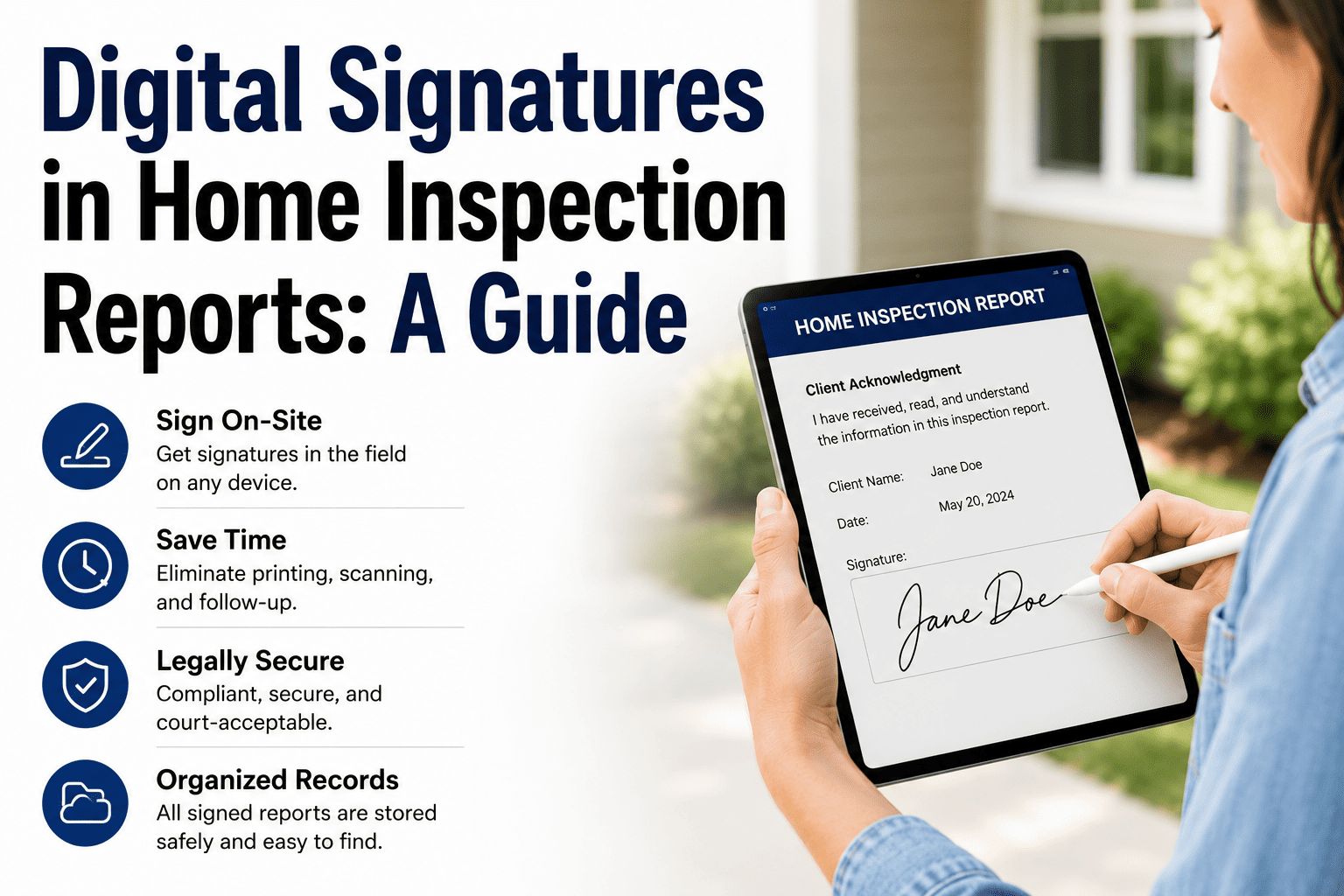
Every home inspection starts with a signed agreement and ends with a signed report acknowledgment. When that signing happens on paper — printing the agreement, handing over a clipboard, chasing a signature before or after the inspection — it adds friction, delays, and a paper trail that is easy to misplace. Digital signatures collapse the entire process into a tap on a screen: the client signs the pre-inspection agreement on your tablet before you walk through the front door, and acknowledges the report on the same device before you leave. The agreement is timestamped, stored in the cloud, and attached to the inspection record permanently. This guide covers how digital signatures work for home inspectors, why they are legally valid, what your e-signature workflow should actually look like, and how to confirm that your software captures a real, enforceable signature — not just a checkbox. If you want to see on-site signing in action, book a demo.
Trust & Data — Digital Signatures
Sign On-Site. Store Forever. Never Chase a Signature Again.
Digital signatures eliminate printing, follow-up emails, and lost agreements. Learn how on-site e-signing speeds up sign-off and keeps your records bulletproof.
Why Digital Signatures Matter for Inspectors
The pre-inspection agreement is your most important liability document. Without a signed agreement, your insurance coverage may not apply and your contractual protections — scope limitations, liability caps, dispute resolution clauses — are unenforceable. Getting that signature should never be left to chance, and it should never depend on a printer, a scanner, or a follow-up email.
100% sign rate
When the agreement is on your tablet and the client signs on-site before the inspection begins, you capture every signature, every time. No more inspections that start without a signed agreement because the email went to spam.
Signed before the walkthrough starts
The client signs the pre-inspection agreement on your tablet in the driveway or the foyer — before you pick up a flashlight. The entire process takes 30 seconds. No printing, no clipboards, no "I'll sign it later."
Permanent, tamper-proof record
The signed agreement is timestamped, IP-logged, and stored in the cloud — permanently attached to the inspection record. No paper to lose, no filing cabinet to dig through. The document is exactly where you need it if a dispute arises years later.
Insurance compliance
Most inspection insurance policies require a signed pre-inspection agreement for coverage to apply. A digital signature meets this requirement — but confirm with your insurer that they recognize e-signatures, as policies vary.
Are Digital Signatures Legally Valid?
Yes. Two federal laws establish the legal validity of electronic signatures in the United States, and they have been in effect for over two decades.
ESIGN Act
Electronic Signatures in Global and National Commerce Act (2000)
Federal law that grants electronic signatures the same legal weight as handwritten signatures for transactions in interstate and international commerce. It prevents courts from denying the enforceability of a contract solely because it was signed electronically.
UETA
Uniform Electronic Transactions Act (1999)
Adopted by 47 states plus the District of Columbia, UETA provides that electronic records and signatures carry the same legal status as paper records and handwritten signatures. It establishes the framework that most state-level e-signature enforcement follows.
For an e-signature to be enforceable, the signer must demonstrate intent to sign, the signature must be associated with the specific document, and you must retain an accessible record of the transaction. Good inspection software handles all three automatically.
Signed, sealed, and stored — on-site in seconds. HomeInspecto captures legally valid e-signatures on your tablet, timestamps every signing event, and stores the signed agreement with the inspection record permanently.
The On-Site Signing Workflow
A well-designed e-signature workflow takes less than a minute and requires no preparation beyond having your tablet charged. Here is what it looks like in practice.
1
Pre-load your agreement template
Set up your pre-inspection agreement once in the software — scope, limitations, liability language, cancellation terms — and it auto-populates with the client name, property address, and inspection date on every job. You never retype it.
2
Present on arrival
When the client arrives at the property, open the agreement on your tablet. Walk them through the key terms verbally — scope, what is and is not included, the limitations clause. This takes 60 to 90 seconds and sets professional expectations for the inspection.
3
Client signs on the screen
The client draws their signature with a finger or stylus, or types their name into the signature field. The software captures the signature along with a timestamp, IP address, and any additional authentication data. The entire signing step takes 10 to 15 seconds.
4
Confirm and proceed
The signed agreement is stored instantly — attached to the inspection record in the cloud. A copy is automatically emailed to the client. You begin the inspection knowing you are covered. No follow-up, no chasing, no ambiguity about whether the agreement was signed.
What Makes a Valid E-Signature (and What Does Not)
Not all electronic acknowledgments are equal. A checkbox that says "I agree" is not the same as a properly captured e-signature. Here is what your software should collect for each signing event to ensure the signature is enforceable.
Valid e-signature elements
Drawn or typed signature from the signer
Timestamp recording when the signature was captured
IP address or device identifier of the signer
Signer's email address for delivery confirmation
Tamper-evident storage (document cannot be altered after signing)
Copy automatically sent to signer
Not sufficient on its own
A checkbox saying "I agree" with no signature
A verbal agreement with no written record
A signature with no timestamp or device data
A document that can be edited after signing
A text reply saying "looks good" with no formal consent
Every Inspection Should Start With a Signed Agreement. Make Sure Yours Does.
HomeInspecto captures legally valid on-site e-signatures with timestamps and cloud storage — so every inspection is covered, every agreement is on file, and you never chase a signature again.
Frequently Asked Questions
Are electronic signatures legally binding for home inspection agreements?
Yes. The ESIGN Act and UETA establish that electronic signatures carry the same legal weight as handwritten signatures in the United States. These laws have been in effect since 2000 and 1999 respectively, and UETA has been adopted by 47 states plus the District of Columbia. For an e-signature to be enforceable, the signer must demonstrate intent, the signature must be linked to the document, and you must retain a record of the transaction.
Will my insurance recognize an e-signed pre-inspection agreement?
Most inspection insurance providers recognize e-signatures, but policies vary. Check your policy's definition of "inspection agreement" or contact your broker to confirm. Some insurers specifically state that digital and electronic signatures are accepted; others may require additional language in the agreement acknowledging that an e-signature is binding. Confirm before relying on it.
Is a checkbox that says "I agree" the same as an e-signature?
Not necessarily. A checkbox alone may not meet the legal requirements for an enforceable e-signature, especially if it does not capture identifying data like a timestamp, IP address, or explicit consent to the specific document terms. A drawn or typed signature with authentication data is a stronger form of consent. Test your software by running a sample signing and reviewing what data it collects — if all you get is a checked box, that may not hold up under scrutiny.
What if the client refuses to sign digitally?
Have a paper backup available — a printed copy of your agreement that the client can sign with a pen. The key is that the agreement gets signed before the inspection starts, regardless of method. If you do collect a wet-ink signature, scan or photograph it and attach it to the digital inspection record so all documentation is in one place.
Where are e-signed documents stored?
In most inspection software, signed agreements are stored in the cloud, permanently linked to the inspection record. This means the agreement is accessible from any device, backed up automatically, and retrievable years later if a dispute arises. Cloud storage eliminates the risk of losing paper documents and makes retrieval instant — no filing cabinets, no scanning, no searching.
Does HomeInspecto support on-site digital signatures?
Yes. HomeInspecto captures e-signatures on your phone or tablet, timestamps every signing event, stores the signed agreement in the cloud with the inspection record, and automatically sends a copy to the client. The agreement template is pre-loaded so it auto-populates with client and property details on every job. Book a demo to see on-site signing, or start a free trial.
Sign Before You Inspect. Store It Forever.
HomeInspecto captures on-site e-signatures with timestamps and cloud storage, so every agreement is signed, every record is clean, and your evenings are free from chasing follow-ups. Book a demo or start your free trial. No credit card required.