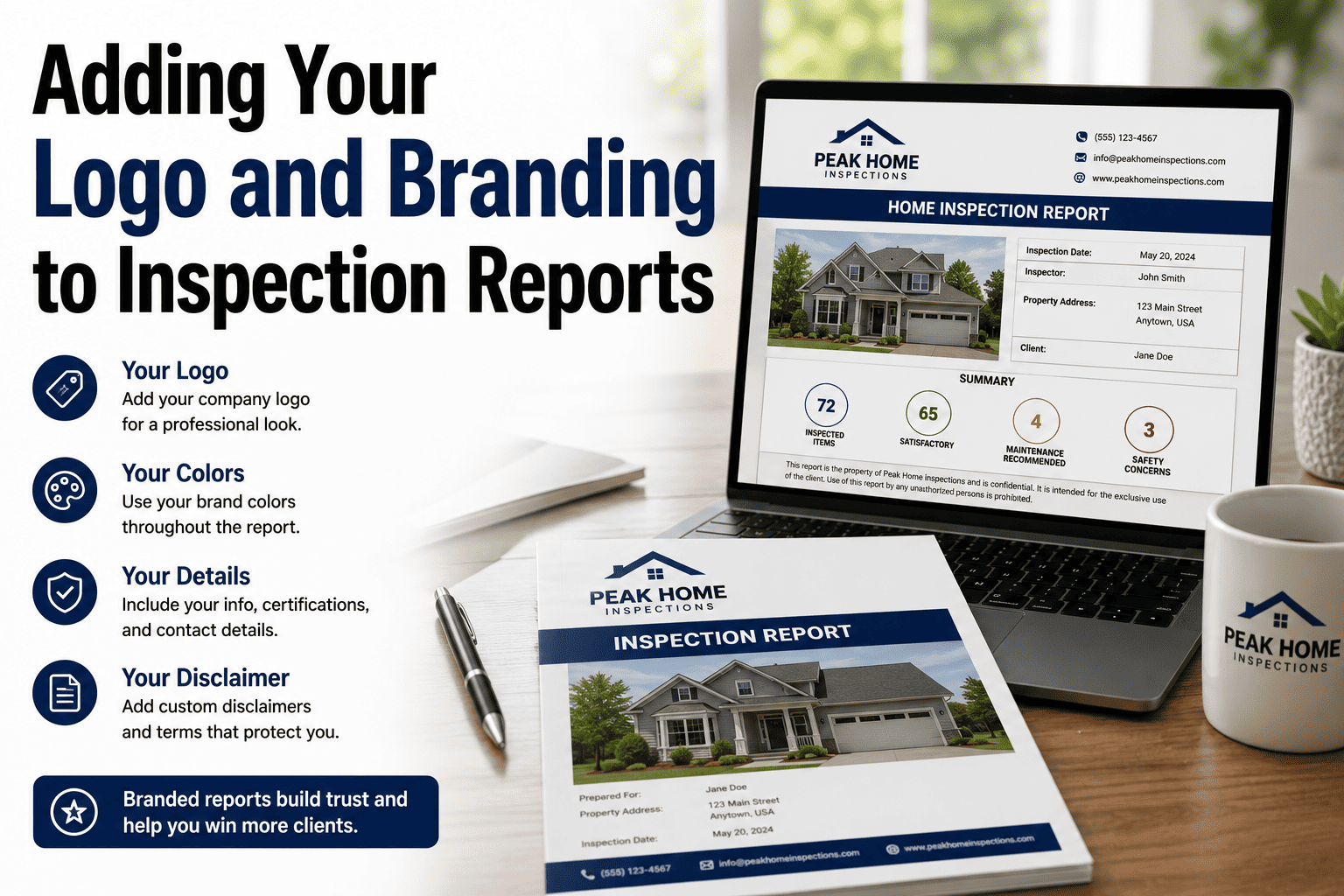
Your inspection report is the only deliverable your client keeps. It is the document they hand to their agent, forward to their attorney, and reference months after the inspection. If it looks like a Word document with a pasted logo and inconsistent fonts, it signals carelessness — regardless of how thorough the inspection was. A polished, branded report does the opposite: it communicates professionalism, builds trust before the client has even read the first finding, and makes agents want to refer you because you make them look good. The best part is that branding a report is not a design project — it is a one-time setup in your inspection software. This guide covers every element worth customizing, why each one matters, and how to set it up once so every report comes out looking like it was produced by a consulting firm. If you want to see what a fully branded report looks like in practice, book a demo.
Trust & Data — Report Branding
Your Report Is Your Marketing. Make It Look the Part.
Branded reports build trust, win referrals, and separate professionals from amateurs. Learn how to customize your logo, colors, cover page, and disclaimers — once.
Why Branding Your Report Matters More Than You Think
Your report travels further than you do. It gets forwarded to agents, attorneys, lenders, and contractors — people who never met you and judge your professionalism entirely by what the document looks like. A branded, consistent report works as a marketing piece on every job without you doing anything extra.
Instant credibility
A professional report with consistent branding, clean layout, and high-quality photos signals competence before the reader processes a single finding. First impressions are visual — and the cover page is the first impression.
Agent referrals
Real estate agents refer inspectors who make them look good. A polished, branded report reflects well on the agent who recommended you — and agents remember which inspectors produce reports they are proud to forward to clients.
Consistent identity
Your logo, colors, and contact information appearing on every page of every report builds recognition. Repeated exposure to consistent branding creates familiarity — and familiarity builds trust across your entire referral network.
The report outlives the inspection
The inspection takes a few hours. The report lives in the client's files for years — and gets shared with people who never met you. Your branding on that document keeps your name in front of future referral sources long after the job is done.
The Seven Branding Elements That Matter
Branding a report is not about being flashy — it is about being consistent and professional. These seven elements, set up once in your software, transform every report from a generic document into a branded deliverable.
01
Cover page
The cover page is the first thing the client sees. Include your company logo, company name, the property address, inspection date, client name, and your license number. A clean, well-designed cover page sets the tone for the entire report. Some software lets you add a property photo — which personalizes each report without extra effort.
02
Logo placement
Your logo should appear on the cover page and in the header or footer of every subsequent page. Consistent placement means anyone who opens the report at any page knows who produced it. Use a high-resolution file — a pixelated logo undermines every other branding decision you make.
03
Brand colors
Apply your brand colors to section headers, accent lines, and the cover page. Keep it to two colors — your primary brand color and a neutral. Consistency across the report creates visual cohesion without overwhelming the content. Avoid bright, aggressive colors; they compete with the findings instead of framing them.
04
Contact information
Phone number, email, website, and license number in the header, footer, or cover page. When the report gets forwarded to a contractor or attorney, your contact information travels with it — making it easy for new leads to reach you directly from the document.
05
Standard disclaimers and scope
Your scope-of-inspection statement, limitations, and liability disclaimers should be included in every report automatically. Set them up once in the template so they are never forgotten. These protect you legally and set client expectations — branded language here also reinforces that this is a professionally produced document.
06
Consistent formatting
Same fonts, same heading sizes, same photo dimensions, same spacing on every page. Inconsistent formatting — different fonts in different sections, photos at random sizes, headers that do not align — signals that the report was assembled in haste, even if the inspection was thorough.
07
Certification badges
InterNACHI, ASHI, or state certification logos on the cover page or footer add third-party credibility. These badges signal that you meet recognized professional standards — a trust signal that matters especially to clients comparing multiple inspectors.
Set up your branding once. Apply it to every report automatically. HomeInspecto lets you upload your logo, set brand colors, add disclaimers, and customize your cover page — then applies it all to every report you generate, forever.
Common Branding Mistakes That Hurt Your Credibility
Getting branding wrong is worse than having no branding at all. These are the mistakes that undermine trust — each one is easy to fix once you know what to look for.
Low-resolution logo
A pixelated or blurry logo on the cover page makes the entire report look unprofessional. Use a high-resolution PNG or vector file. If your logo looks fuzzy when printed, it is too low-resolution for the report.
Inconsistent fonts across sections
Mixing fonts — or worse, using the operating system's default font in some sections and a custom font in others — creates visual noise that makes the report feel assembled from parts rather than produced as a whole.
Logo on page one only
Reports get shared, printed, and forwarded page-by-page. If your logo only appears on the cover, every other page is anonymous. Put your branding in the header or footer so it appears on every page.
Missing contact information
If someone reads your report and wants to hire you for their next purchase, can they find your phone number without scrolling back to the cover page? Contact details should be accessible from any page in the document.
Over-branding
Heavy borders, large watermarks, aggressive color schemes, or oversized logos compete with the findings. The branding should frame the content, not overwhelm it. Subtle and consistent beats loud and flashy.
No disclaimers or scope statement
A report without a scope-of-inspection statement and liability disclaimers is a legal risk. These protect you and set expectations. They should be part of every report template, auto-included, never manually added.
Every Report Is a Marketing Piece. Make Yours Work for You.
HomeInspecto produces branded, client-ready PDFs with your logo, colors, disclaimers, and contact information on every page — automatically, on every job, without extra effort.
Frequently Asked Questions
Why does report branding matter for home inspectors?
Your report is the only tangible deliverable from the inspection — it outlives the visit by months or years and gets forwarded to agents, attorneys, and contractors who never met you. Consistent branding on every page signals professionalism, builds trust, and keeps your name in front of future referral sources. Agents specifically refer inspectors whose reports look polished and make the agent look good by association.
What branding elements should every inspection report include?
At minimum: a branded cover page with your logo, company name, and the property details; your logo in the header or footer on every subsequent page; contact information accessible from any page; consistent fonts and formatting throughout; your scope-of-inspection statement and liability disclaimers; and any certification badges you have earned. Brand colors on headers and accents add polish but are optional.
How do I add my logo and branding to inspection reports?
In most inspection software, branding is a one-time setup in your account settings: upload your logo file, enter your contact information, choose a color scheme, and paste your disclaimers. From that point forward, every report you generate applies those settings automatically. You do not need design skills — the software handles the layout. Just make sure your logo file is high-resolution so it looks sharp in the PDF.
What file format should my logo be in?
Use a high-resolution PNG with a transparent background for the best results across both digital and printed reports. If you have a vector version (SVG or EPS), keep that on hand for any future design needs. Avoid low-resolution JPEGs — they look blurry when scaled in the PDF, especially on the cover page.
Can I include certification logos like InterNACHI or ASHI badges?
Yes, and you should. Certification badges add third-party credibility that reinforces your professional standing. Most certification organizations provide their logos in web and print formats for exactly this purpose. Place them on the cover page or in the footer — just confirm you meet the organization's usage requirements for displaying their logo.
Does HomeInspecto support full report branding?
Yes. HomeInspecto lets you upload your logo, set brand colors, customize the cover page, add standard disclaimers, and include your contact information — all applied automatically to every report. The result is a branded, client-ready PDF that looks professional and consistent on every job, with zero extra effort per inspection. Book a demo to see a branded report, or start a free trial.
Set Up Your Brand Once. Look Professional Forever.
HomeInspecto applies your logo, colors, disclaimers, and contact information to every report automatically — so every PDF that leaves your device is a branded, client-ready marketing piece. Book a demo or start your free trial. No credit card required.