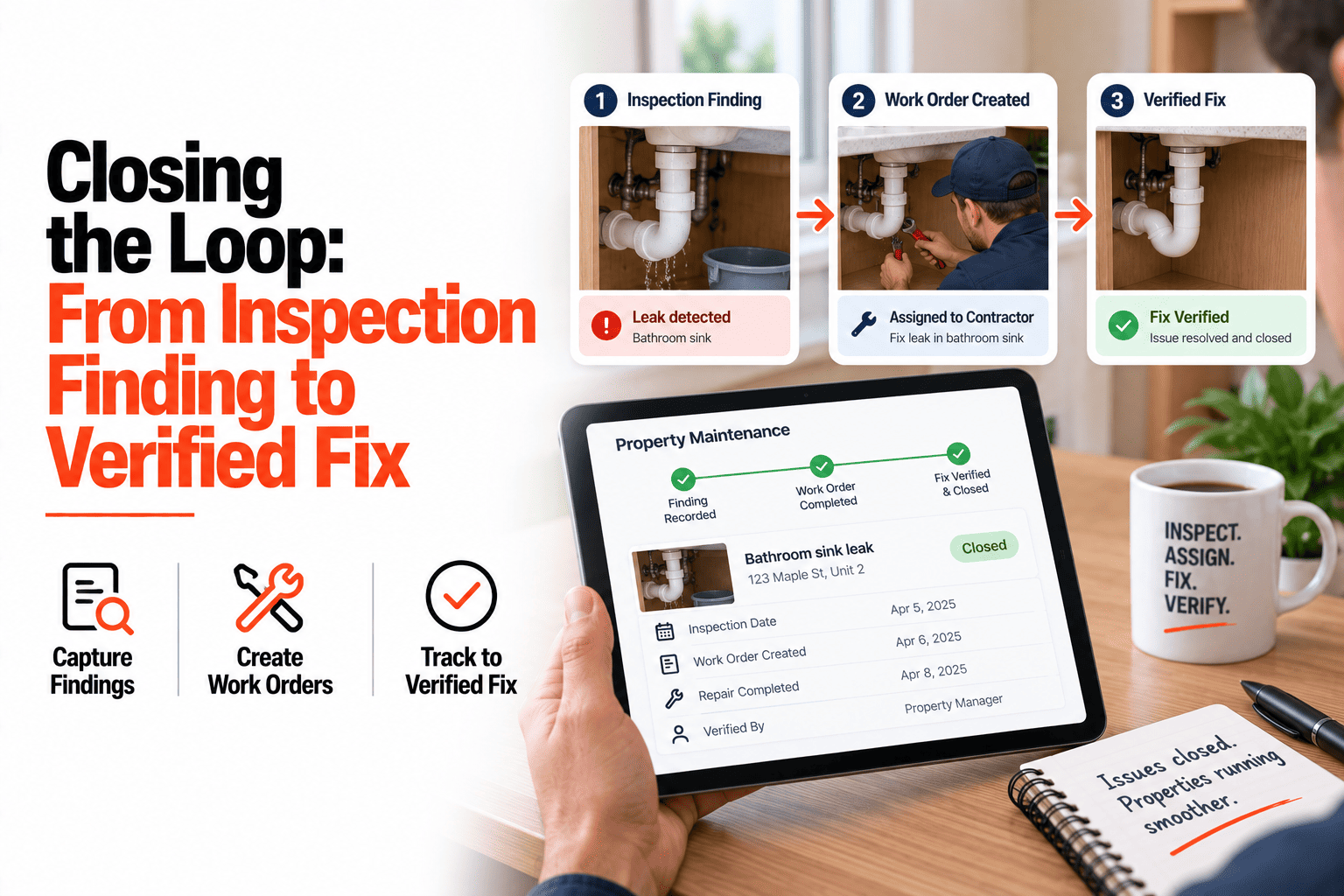
An inspection ends with a list of findings, and that's where most of them stop. A cracked seal, a worn tread, a stained ceiling. Each is written down, the report is filed, and everyone assumes someone will follow up. A finding is not a fix. Between the two there are several handoffs: someone has to turn the finding into a job, someone has to be assigned, the work has to be done, and someone has to confirm it was. Every handoff is a place the item can quietly drop. This guide covers how to follow a finding the whole way to a verified fix, in one record, so nothing relies on a follow-up that never came. If you want findings tracked through to completion, book a demo.
Closing the Loop
A Finding Is Not a Fix. Follow It All the Way.
From inspection item to service order to assigned technician to completion photo, in one record.
One Record, Four Links
1
Inspection finding
Water stain on bedroom ceiling, photographed during the inspection
linked
2
Service order
Raised from the finding, with the photo and property already attached
linked
3
Assigned technician
Roofer notified with the same details, no retelling needed
linked
4
Completion photo
Timestamped proof the work was done, closing the original finding
Where Findings Usually Drop
Between the report and the work order
The finding sits in a document until someone retypes it as a job, which is the step most likely to be put off.
Between the work order and the technician
The job is raised but not clearly assigned, so each person assumes someone else has it.
Between "done" and confirmed
The technician says it's finished, but nothing shows the original problem is actually gone.
Why One Record Beats Three Documents
When the finding, the service order and the completion photo are separate documents, closing the loop means chasing between them. When they are one linked record, the finding can't be marked resolved until the work behind it is done and shown. Anyone looking at the inspection can see which items are fixed, which are in progress, and which haven't been started.
Take Every Finding to a Verified Fix
HomeInspecto links findings, service orders and completion photos in one record.
Frequently Asked Questions
Can I turn every inspection finding into a service order?
Yes, findings can be converted into service orders individually or in a batch, keeping the original photo and notes attached.
Can I see which inspection items are still unresolved?
Yes, each finding shows its current status, so you can see at a glance which are open, in progress or resolved.
Does every finding need a repair?
No. Some findings can be noted for monitoring or deferred on purpose. The point is that each one has a recorded outcome instead of being silently forgotten.
Can I show a completed inspection follow-up to someone else?
Yes, the linked record of finding, work and completion photo can be shared as evidence that an issue was found and resolved.
Make Every Finding End in a Fix
One linked record from the first photo to the last, so nothing relies on a follow-up that never came.