Inspecting a single-family home is a one-at-a-time job. Inspecting a 60-unit apartment complex is an operations problem — and the difference between a smooth day and an 11 PM desk session is entirely about systems. The inspectors and property managers who move through multi-unit buildings fast are not cutting corners; they are running a repeatable workflow that eliminates the decisions, the backtracking, and the report assembly that eat hours on every job. This guide covers the specific workflow that scales: how to structure your template for unit-after-unit speed, how to handle common areas separately from individual units, how to photograph 20 units without drowning in unsorted images, and how to deliver a finished report the same day. If you want to see multi-unit inspection workflow running on real units, book a demo.
Specialty Use — Multi-Family & Apartments
The Multi-Unit Inspection Workflow That Finishes Before Your Team Leaves the Building
Twenty units in a day means repeatable systems, not longer hours. Learn how to template, photograph, and report multi-family inspections at scale.
Why Multi-Unit Inspection Is a Different Problem
A single-family inspection is a craft job — unique findings, unique structure, unique report. A multi-unit inspection is a production job — similar units, repeated patterns, and a report that grows with every door you open. The challenge is not complexity per unit; it is maintaining speed, consistency, and documentation quality across 10, 20, or 50 units in the same day.
Volume
A 40-unit complex at 15 minutes per unit is 10 hours of on-site work before you touch common areas, building systems, or the report. Every minute of inefficiency per unit multiplies across the entire property.
Consistency
Unit 37 needs the same documentation depth as Unit 1. When fatigue sets in, sections get skipped, photos get sloppy, and the report has gaps that undermine the entire inspection.
Photo management
Twenty units at 10 photos each is 200 images. Without in-app photo capture that tags each image to its unit and finding, you spend hours sorting and labeling after the fact.
Report assembly
The finished report needs to present each unit clearly while rolling up building-wide findings into a summary an investor or property manager can act on — not a 300-page scroll of undifferentiated notes.
The Two-Layer Template: Units + Common Areas
The foundation of a scalable multi-unit workflow is a template with two distinct layers. The unit template repeats identically for every apartment. The common-area template covers the building envelope, shared spaces, and building systems once. Keeping them separate prevents duplication and keeps the report organized.
Unit Template (repeats per unit)
Every apartment gets the same checklist — no variation, no decisions about what to include. The template enforces consistency so Unit 40 gets the same depth as Unit 1.
Covers: entry door and hardware, living areas (walls, ceiling, flooring, windows, blinds), kitchen (counters, cabinets, appliances, sink, disposal), bathrooms (toilet, tub/shower, vanity, ventilation, caulk), bedrooms, closets, HVAC filter and thermostat, smoke and CO detectors, electrical outlets and switches, water heater (if in-unit), washer/dryer connections, patio or balcony.
Common Area Template (once per building)
Building-level systems and shared spaces are inspected once and reported separately — not repeated inside every unit. This prevents bloat and gives the owner a clear picture of building-wide condition.
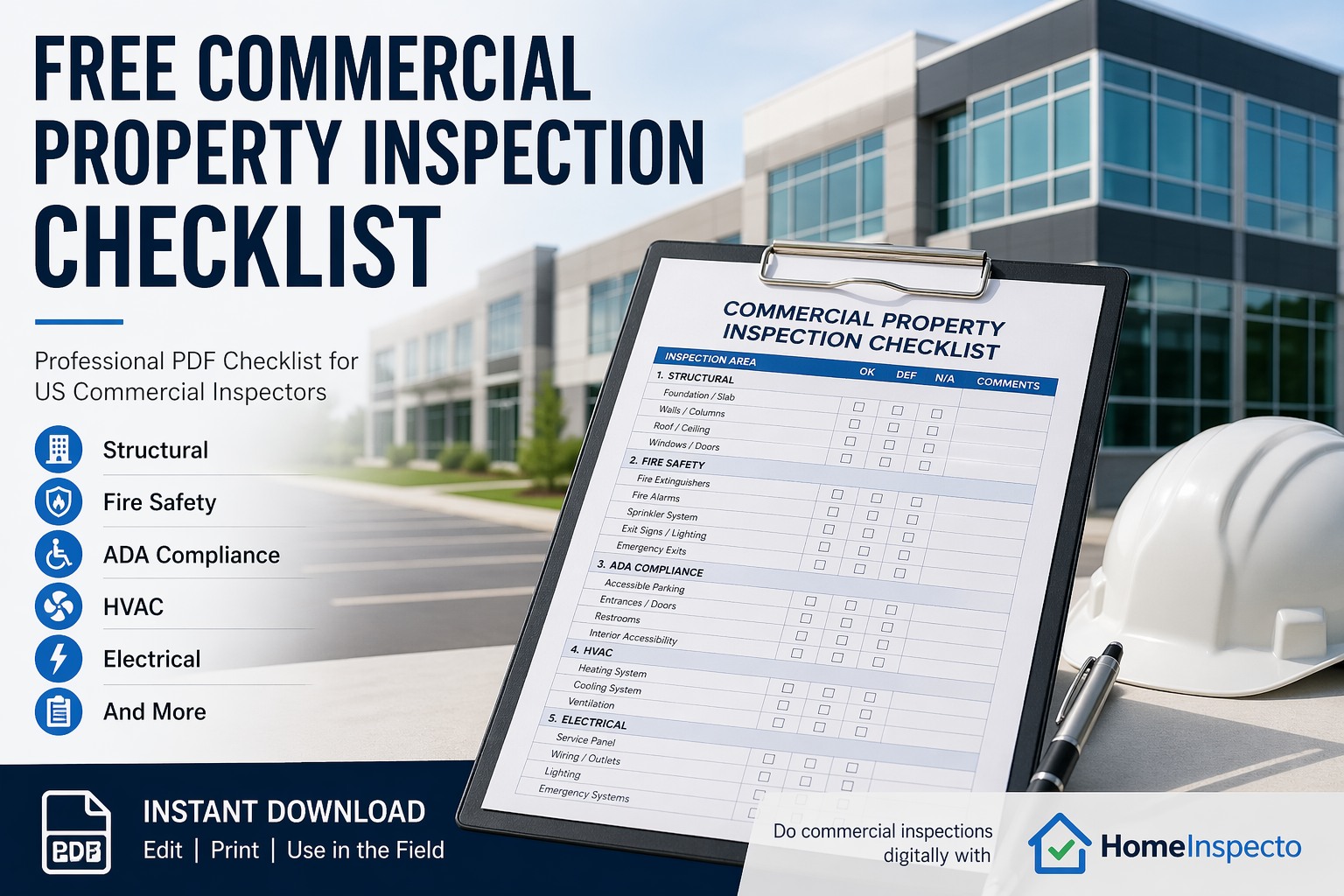
Covers: roof and exterior cladding, foundation and structure, parking lot and sidewalks, lobbies and hallways, stairwells and elevators, laundry rooms, mailboxes, exterior lighting, landscaping and drainage, fire safety systems (alarms, sprinklers, extinguishers, exit signs), central HVAC and boiler, electrical service and panels, main plumbing and water heater (if central), ADA accessibility, pool or fitness center (if applicable).
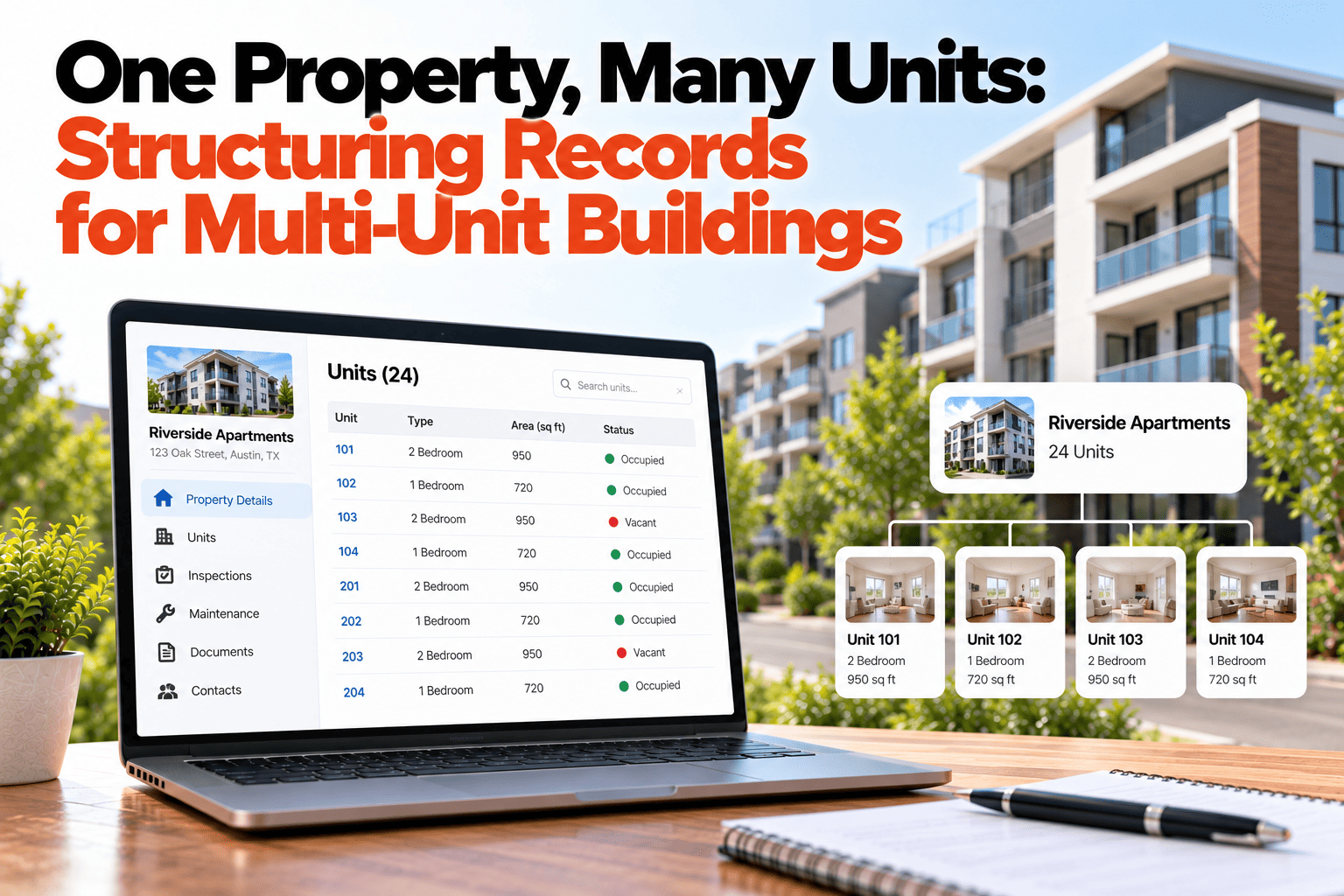
One template, unlimited units. HomeInspecto lets you duplicate the unit template for every apartment, tag each by unit number, and compile them into a single organized report — with common areas in their own section.
The On-Site Workflow: Floor by Floor, Unit by Unit
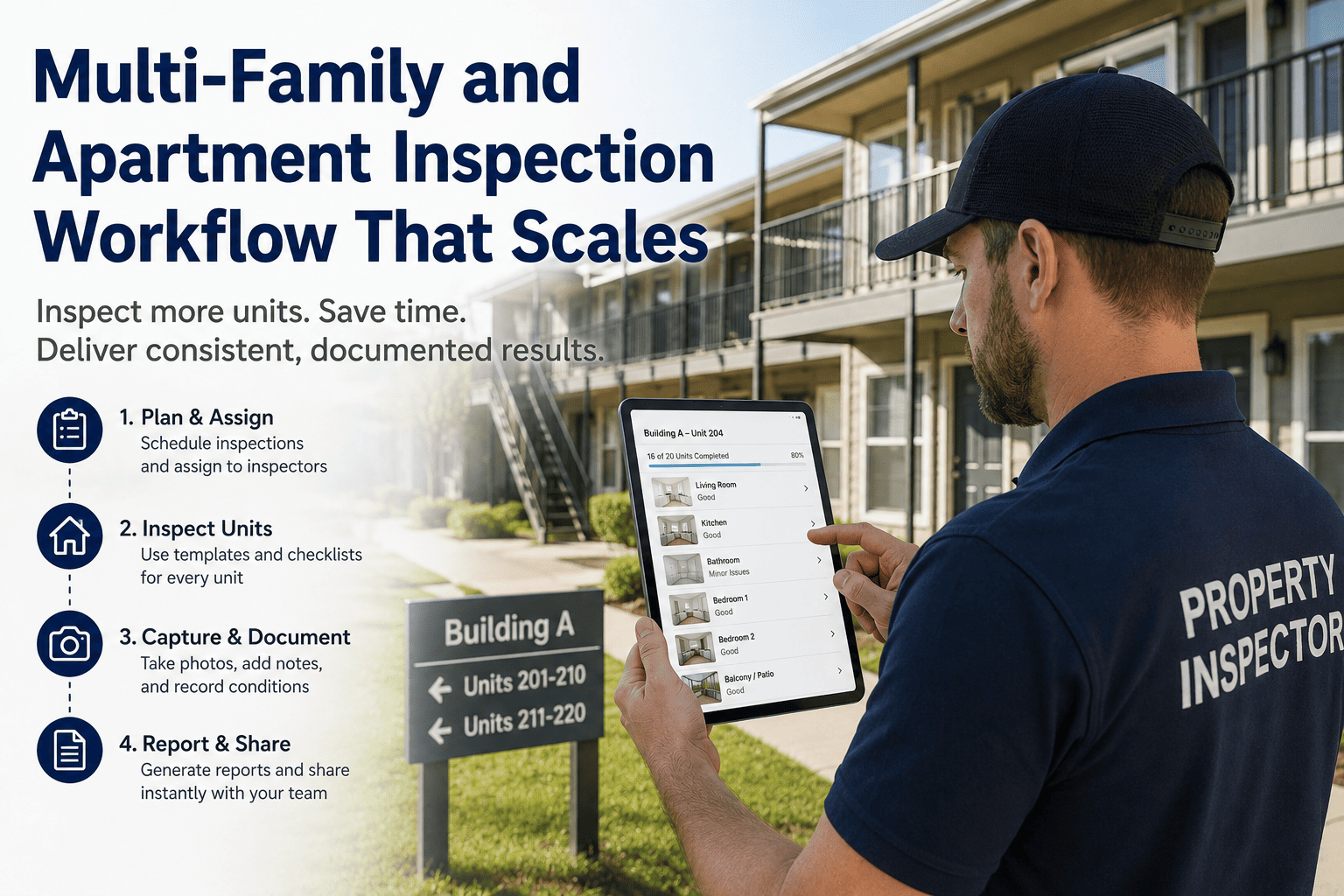
Speed at scale comes from eliminating decisions. Every unit gets the same walkthrough path, the same checklist, the same photo sequence. Here is the workflow that experienced multi-unit inspectors follow to move through a building without losing consistency or missing findings.
1
Start with common areas and building systems
Inspect the roof, exterior, parking, lobbies, hallways, stairwells, mechanical rooms, and fire safety systems before you enter any unit. This gives you context — you will know the building's overall condition before you see how individual units compare.
2
Work one floor at a time, one direction
Start at the top floor and work down, or start at one end of the hallway and move sequentially. Never skip units or jump between floors — backtracking kills speed and increases the chance of missing a unit entirely.
3
Same path inside every unit
Walk every apartment in the same order: front door, living area clockwise, kitchen, bathrooms, bedrooms, closets, HVAC, then patio. The identical path builds muscle memory so you stop thinking about where to go next and start moving on autopilot.
4
Photograph as you go, not after
Take photos in-app so each image attaches to the unit and finding automatically. Do not use a separate camera — sorting 200+ photos later adds hours to the job. Capture the overview of each room plus close-ups of defects and conditions.
5
Close each unit before opening the next
Review the checklist for completeness before you leave the unit. Ensure every section is filled, every required photo is taken, and all findings are noted. A five-second review now prevents a return trip later — and at unit 35, you will not remember what Unit 12 looked like.
Photo Strategy for High-Volume Inspections
At scale, photo management is the difference between a report that takes 30 minutes to compile and one that takes three hours. The rules are simple but rigid — break them and the volume buries you.
Shoot inside the app, always
In-app photos auto-tag to the unit, room, and finding. A separate camera produces a folder of unnamed files that you have to manually match to 20+ units. At scale, this is not an inconvenience — it is a workflow-ending bottleneck.
Standardize your shot list
Every unit gets the same baseline photos: one overview per room, one of each appliance, one of each fixture, and close-ups of any defect or notable condition. A consistent shot list means the report looks uniform across all units.
Use photo markup on-site
Circle the defect, add an arrow, drop a text label — do it while you are standing in front of the finding. Marked-up photos communicate instantly in the report and reduce the need for lengthy written descriptions.
Cap photo count per unit
Set a target — 8 to 12 photos for a standard unit in acceptable condition, more only when defects require documentation. Unlimited shooting without a plan creates 500-photo reports that no one reads.
Reporting: Unit-Level Detail, Building-Level Summary
A multi-unit report serves two audiences. The property manager or maintenance team needs unit-level detail to assign work orders. The investor or owner needs a building-level summary to make capital decisions. The report structure should serve both without forcing either audience to read the entire document.
Executive summary
Leads the report. Total units inspected, number with deficiencies, most common findings, building-wide system conditions, and recommended capital actions. An investor reads this section and knows the property's condition without opening a single unit page.
Common areas and systems
Building envelope, roof, structure, mechanical systems, fire safety, accessibility, parking, and shared spaces — each with photos and condition notes. Reported once, not duplicated inside units.
Unit-by-unit sections
Each unit gets its own page or section — unit number, floor plan type, condition findings, photos, and recommendations. Identical structure across all units so the reader can compare any two apartments instantly.
Deficiency roll-up
A summary table that lists every deficiency found across all units — sortable by severity, room type, or system. This is the document the maintenance team uses to schedule work and the owner uses to estimate repair budgets.
Inspect the Building. Deliver the Report Before You Leave It.
HomeInspecto compiles unit-by-unit findings, common-area documentation, and a building-level summary into a single branded PDF — generated on-site, not assembled at a desk.
Inspection Types Across the Lease Cycle
Multi-family properties require different inspections at different points — and each type has a different purpose, scope, and audience. Running all of them on the same template system keeps documentation consistent across the entire portfolio.
Pre-acquisition / PCA
Full property evaluation for buyers and lenders. Covers every building system, representative unit sampling, and capital expenditure projections. Often follows ASTM E2018. This is the most comprehensive inspection and generates the largest report.
Move-in / move-out
Unit-level condition documentation for deposit reconciliation. Timestamped photos and tenant signatures protect against disputes. The same template used at move-in should be used at move-out for clean side-by-side comparison.
Periodic / routine
Quarterly or semi-annual walkthroughs to catch maintenance issues, lease violations, and safety concerns before they escalate. Quick per-unit — typically five to ten minutes — but the documentation prevents deferred maintenance from compounding.
Unit turnover / make-ready
Inspection between tenants that drives the make-ready punch list. Identifies what needs paint, flooring, appliance repair, or deep cleaning before the next resident moves in. Speed matters — every day of vacancy costs revenue.
Frequently Asked Questions
How long should a single unit inspection take in a multi-family walkthrough?
A standard vacant unit with no major deficiencies takes 10 to 15 minutes when using a digital template with tap-to-select comments and in-app photo capture. Occupied units or units with significant damage take longer. Common areas and building systems are inspected separately and typically add one to three hours depending on property size. At 15 minutes per unit, a team can cover 20 units plus common areas in a full day.
Do I need to inspect every unit or can I sample?
It depends on the purpose. Pre-acquisition inspections and PCAs often use representative sampling — inspecting a percentage of units (commonly 10 to 20 percent) plus any units with known issues. Move-in and move-out inspections require every unit individually since each one produces its own condition record. Periodic inspections may sample or rotate through units over multiple cycles. Your scope of work should define the sampling strategy clearly.
How do I keep the report organized across 20 or more units?
Structure the report in three layers: an executive summary at the top, a common-areas section in the middle, and individual unit sections at the end — each tagged by unit number. A deficiency roll-up table lets the reader jump to the units that need attention. Digital inspection software that auto-organizes by unit number eliminates the manual assembly that makes paper-based multi-unit reports so time-consuming.
What is the biggest time-waster in multi-unit inspections?
Photo sorting. Inspectors who use a separate camera and take 200 to 500 photos across a property spend hours matching images to units and findings after the inspection. In-app photo capture that auto-tags each image to its unit and finding eliminates this step entirely. The second biggest time-waster is inconsistent templates — if you re-decide what to check in every unit, you lose minutes per door that multiply across the property.
How does deferred maintenance in multi-family properties add up?
Industry data suggests deferred maintenance costs property owners an average of $2,750 per unit over a three-year period. For a 100-unit complex, that is $275,000 in avoidable repair costs. Regular periodic inspections catch issues like water intrusion, HVAC neglect, and minor plumbing failures early — when they cost hundreds to fix instead of thousands.
Can HomeInspecto handle multi-unit inspection workflows?
Yes. HomeInspecto supports unit-by-unit templating, in-app photo capture with automatic tagging, common-area sections, and compiled PDF reports that organize findings by unit number with a building-level summary. The same platform handles move-in, move-out, periodic, and turnover inspections — so your entire portfolio runs on one system. Book a demo to see the multi-unit workflow, or start a free trial.
Scale Your Inspections. Not Your Hours.
HomeInspecto gives you repeatable unit templates, in-app photo capture, common-area sections, and same-day PDF delivery — so a 40-unit inspection day ends when you walk out of the building, not when you finish assembling the report. Book a demo or start your free trial. No credit card required.