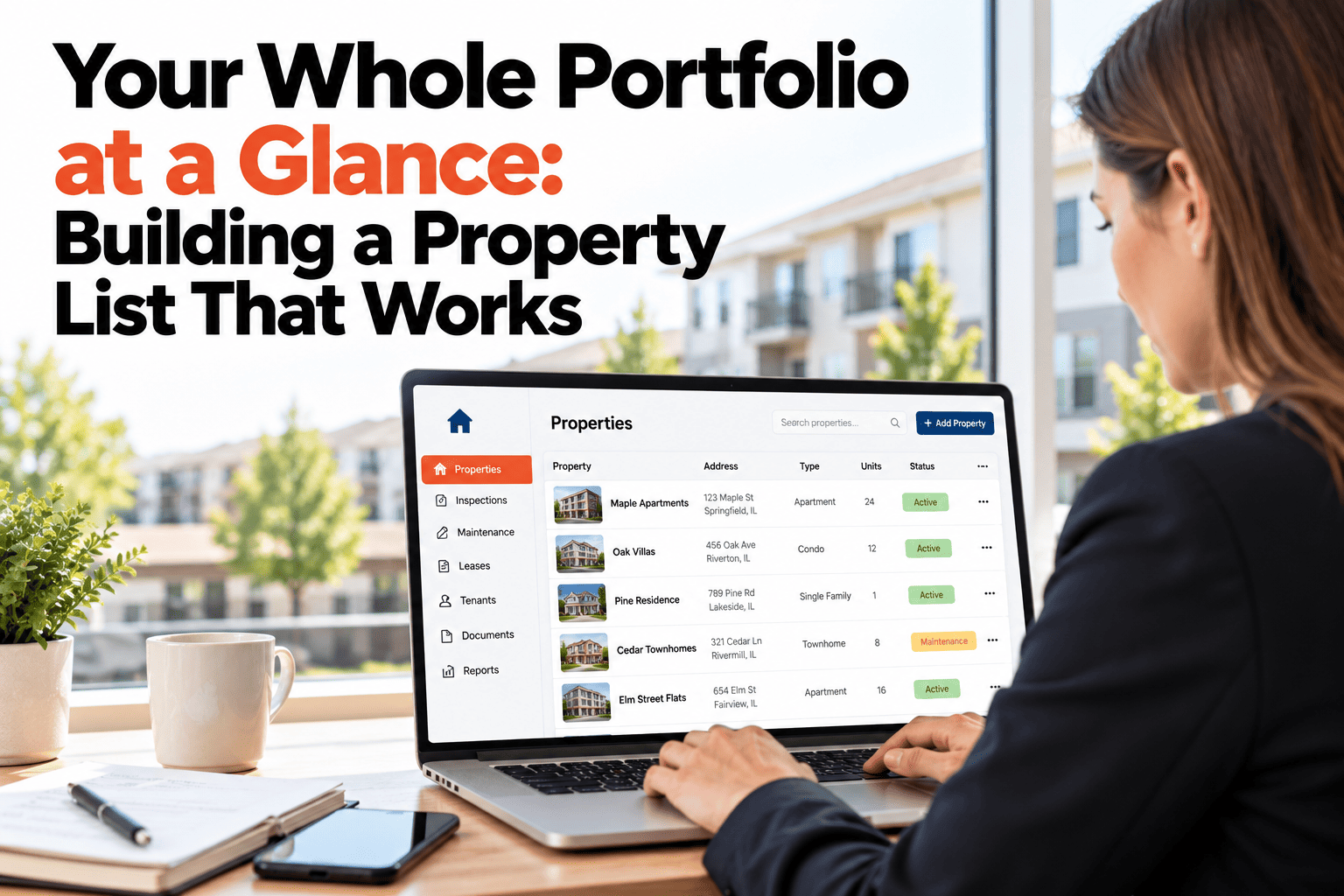
A spreadsheet works fine for five properties. By twenty, it has become a document nobody trusts. Columns are added and forgotten, someone sorted it without the rest of the rows, and the "status" column hasn't been touched since spring. It lists your properties, but it doesn't show how they're doing. A portfolio view should answer a different question: across everything you own or manage, where do things stand right now? That means grouping by what matters to you, whether it's type, client or area, and showing condition at a glance. This guide covers what a property list needs in order to work as a real portfolio view. If you want your whole portfolio on one screen, book a demo.
Portfolio View
Twenty Properties in a Spreadsheet Isn't a Portfolio View.
Group by type, client, area or status and see the condition of everything you own in one place.
Condition at a Glance, Grouped How You Think
12
Good
5
Needs watching
3
Needs action
Residential
Cedar Ave 14
Good
Maple St Duplex
Watch
Elm St House
Good
Birchwood 4B
Action
Commercial
Harbor Retail Unit
Good
Station Road Office
Watch
Mill Lane Storage
Good
Sample portfolio shown for illustration only.
Ways You Might Want to Group
By type
Houses, apartments, retail and offices often have different upkeep needs and different priorities.
By client or owner
If you manage for others, you'll want each owner's properties together for reports and conversations.
By area
Grouping by neighborhood or town helps when planning visits and sending one contractor to several jobs.
By status
Seeing which properties need action first tells you where to spend your time today.
From a List to a View
The difference isn't more data, it's how the data is shown. A list tells you what you have. A portfolio view tells you how it is doing, and lets you cut the same properties several ways without rebuilding anything. When condition comes from real inspections and repairs, the colors mean something, and the view stays current without anyone updating a column by hand.
Questions a Portfolio View Should Answer
Which properties need attention this week?
The properties flagged for action should be the first thing you see, not the last thing you find.
Where are repairs piling up?
A building with a growing list of open work stands out when all properties sit on one screen.
Which owner has the most open work?
If you manage for others, grouping by client shows who needs a call before they call you.
Which area can I visit in one trip?
Grouping by area helps you plan a single route that covers several properties at once.
Keeping the View Trustworthy
A portfolio view is only as honest as the data behind it. If condition comes from recent inspections and current repairs, the colors mean something. If it comes from a field someone updates by hand, the view slowly turns into the same untrusted spreadsheet it was meant to replace.
See Your Whole Portfolio, Not Just a List
HomeInspecto groups your properties and shows their condition from real inspection and repair data.
Frequently Asked Questions
Where does the condition status come from?
It reflects the property's recent inspections and open repairs, so it stays tied to what's actually happening and not to a field someone has to remember to update.
Can I import the properties I already track in a spreadsheet?
Yes, an existing list can be brought in so you don't have to re-enter each property from scratch.
Can a property belong to more than one group?
Yes, each property can carry a type, a client and an area at once, so you can view the same portfolio grouped in different ways.
Can I share a view with an owner who only sees their own properties?
Access can be limited, so an owner sees just the properties that belong to them.
Move From a List to a Portfolio View
Group your properties the way you think and see the condition of all of them at once.