Buyers ask what a home inspection report actually looks like, and the honest answer is that a good one reads nothing like the dense PDF they're picturing. A clear modern report leads with a plain-language summary, rates each system, pairs every finding with a photo, and ends each note with a recommendation. This guide walks a sample report page by page — the summary, the ratings, the photos, the narratives, and the recommendations — so you know what a strong one looks like. The figures below are illustrative, for layout only. Build reports like this in HomeInspecto.
Report writing guide
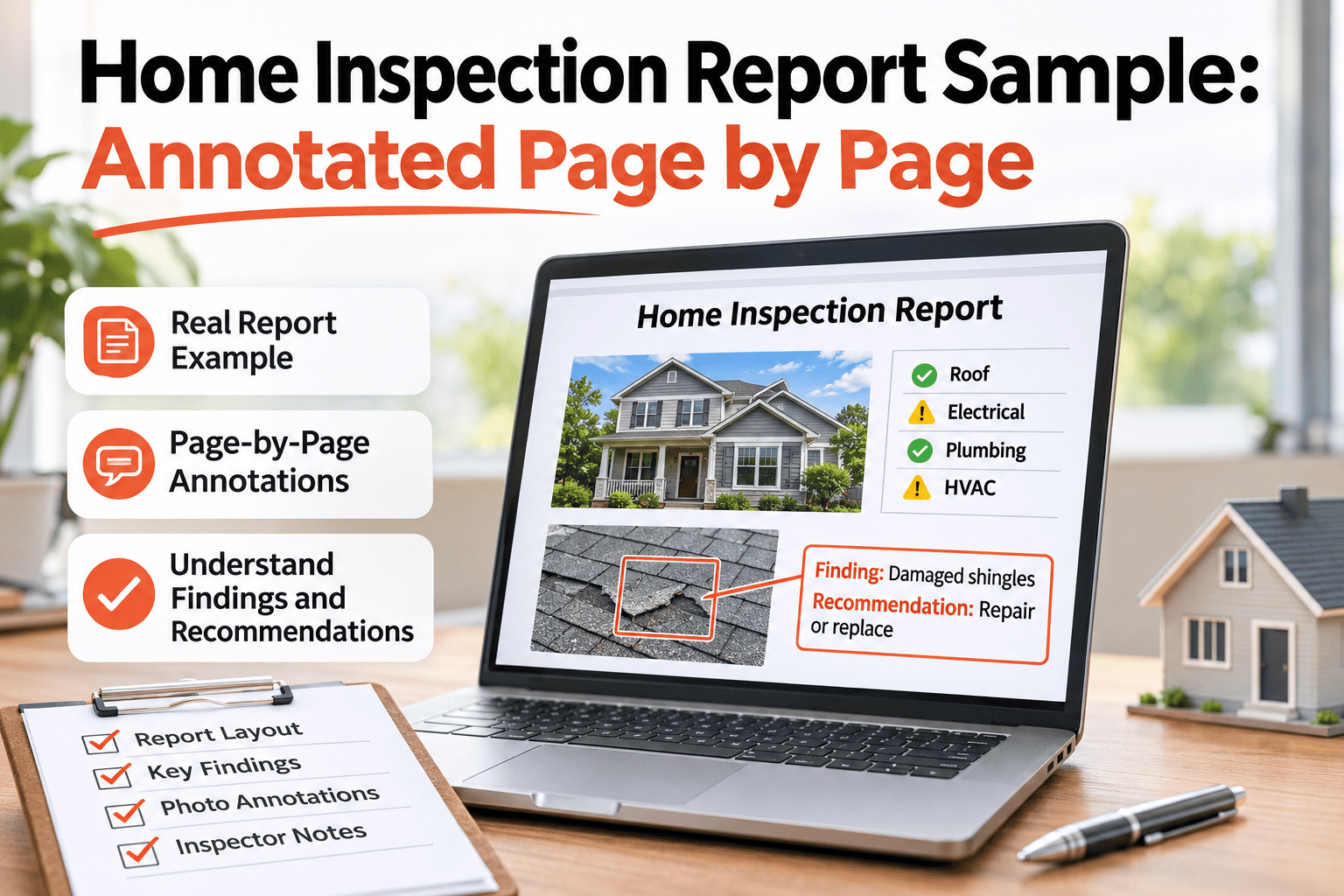
A home inspection report sample, annotated page by page
What the sections are, why they're ordered that way, and what turns a wall of text into a report a buyer can actually use.
- 1Summary — the headline findings, grouped by priority
- 2Ratings — each system scored at a glance
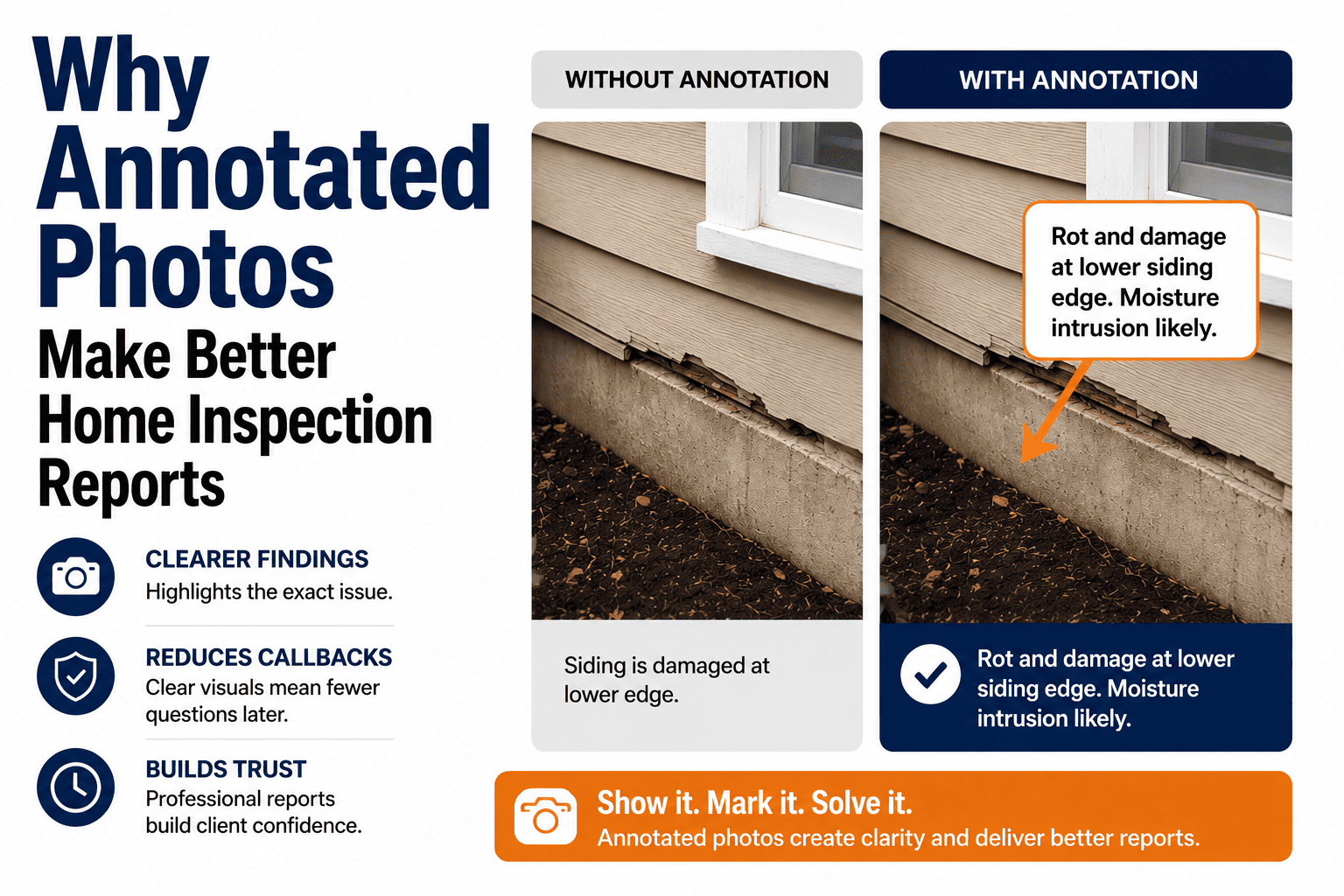
- 3Photos — every finding shown, not just described
- 4Narrative — what it is, why it matters, what to do
The anatomy of a modern report
Every section earns its place. Here is what each one does and the order a reader moves through.
- 01
Cover & scope
The address, date, and what the inspection did and did not cover, tied to the standards of practice.
- 02
Summary
The findings that matter, grouped by priority — the page most buyers read first.
- 03
Condition ratings
Each system marked at a glance, so the reader sees the shape of the house fast.
- 04
Photos
Every finding shown with a captioned, located image — the evidence behind the words.
- 05
Narratives
The detail per finding: the observation, what it implies, and the recommendation.
- 06
Recommendations
Next steps and referrals, so the buyer knows exactly what to act on.
Order is the quiet part of a good report: priority first, detail later. See the full layout in a demo.
The summary is what buyers read first
A strong report pulls the findings to the front and groups them by priority, so no one hunts through forty pages for the thing that matters.
- SafetyItems that could hurt someone — handled first.
- MajorCostly repairs that shape the negotiation.
- MonitorMinor or maintenance items to keep an eye on.
Grouping by priority is what turns a finding list into a decision tool. Auto-build the summary in HomeInspecto.
Good narrative, in three parts
The best finding narratives follow one quiet formula: what you saw, why it matters, and what to do about it. Skip the middle and the buyer can't weigh it.
- ObservationWhat is physically there, in plain terms.
- ImplicationWhy it matters — the risk or cost it points to.
- RecommendationThe next step, and who should take it.
Sample: "The water heater's temperature-pressure relief valve has no discharge pipe. Without one, hot water could spray during a release. Recommend a licensed plumber install an appropriate discharge pipe."
Three sentences, and the buyer knows what it is, why to care, and what to do. See the narrative library in a demo.
Write reports buyers actually read
A front-loaded summary, consistent ratings, a photo on every finding, and a narrative library that keeps the wording tight and the tone right.
What makes a report defensible
Clarity and defensibility are the same thing here. A report that is easy to read is usually the one that holds up.
- State the scope and the standards of practice the inspection followed.
- Note what couldn't be inspected and why — access, weather, utilities off.
- Put a captioned, located photo on every finding.
- Use the same rating scale across every system.
- Keep the language factual — describe, recommend, and refer, without alarm.
Say what you saw, show it, and refer it out — that's the whole discipline. Set your standards once in HomeInspecto.
How HomeInspecto builds the report
-
Narrative library
Reusable, consistent wording for common findings, edited per home.
-
Auto-built summary
Flagged findings roll up into a priority-grouped summary on their own.
-
Consistent ratings
One rating scale across every system, applied the same way each time.
-
Photos on findings
Each image lands next to its note, captioned and located automatically.
-
One-tap export
Turn the field record into a clean report buyers can open the same day.
-
Record per property
Every report stays on file for re-inspections and future owners.
The structure of a good report, built in as you work. Book a demo on your own template.
Frequently asked questions
What does a home inspection report include?
A scope and cover, a priority-grouped summary, condition ratings per system, photos on each finding, finding narratives, and recommendations. See a sample layout in a quick demo.
How long is a typical report?
Length varies with the home, but a good report front-loads a short summary so the reader doesn't have to work through every page to find what matters.
What should a finding narrative say?
Three things: the observation, why it matters, and the recommendation. That structure lets a buyer weigh the finding and know the next step — start a free trial.
Why do photos matter in a report?
A captioned, located photo shows the reader exactly what you saw, backs the finding, and leaves far less room for a dispute later.
What makes a report defensible?
A stated scope, noted limitations, a photo on every finding, consistent ratings, and factual language that describes and refers without overstating. See how it's set up in a demo.
A report buyers trust
Turn the field walk into a clear, defensible report
Priority summary, consistent ratings, photos on every finding, and a narrative library — the structure of a strong report, built in.