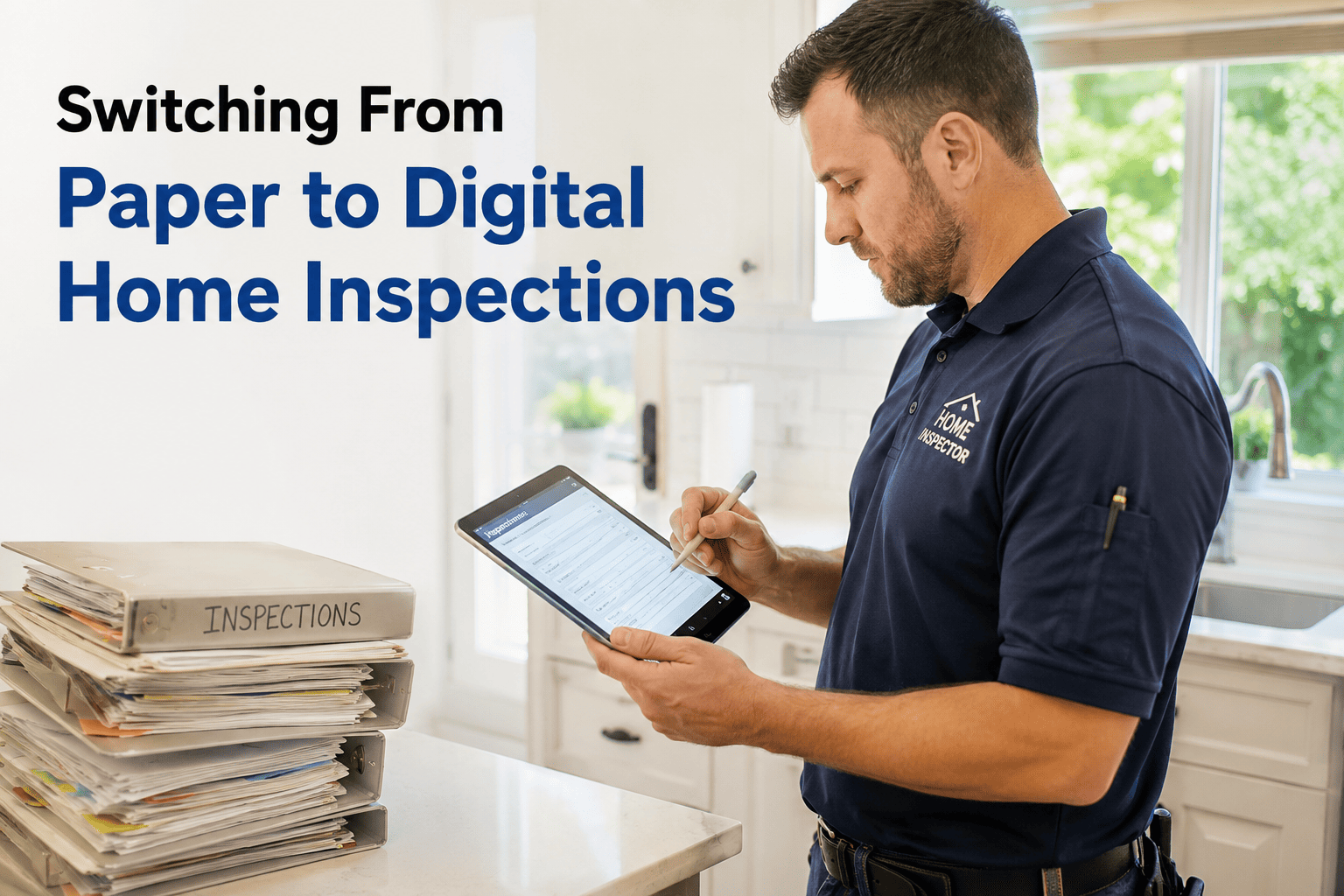
You already know the paper workflow is slow — the clipboard on-site, the handwritten notes in the truck, the hours at a desk transcribing everything into a Word doc at 9 PM. What keeps most inspectors on paper is not preference; it is the fear that switching will cost more time than it saves while they learn new software mid-season. That fear is overblown. Digital inspection reporting saves two to three hours per job once you are past the first week, and the transition itself is far less disruptive than you think if you do it in the right order. This guide walks you through exactly how to switch — what to set up before your first digital inspection, how to run parallel for a few jobs without doubling your workload, and the moment it clicks. If you want to see the transition in action before you commit, book a demo.
Software Switching — Field Guide
Ditch the Clipboard. Here Is How to Go Digital Without Missing a Beat.
Paper inspections cost you hours every evening. Learn the step-by-step switch to digital reporting — without slowing down during the transition.
What Paper Is Actually Costing You
The clipboard itself is cheap. The real cost hides in all the time you spend after the inspection turning handwritten notes into a deliverable report. Here is what that hidden cost looks like across a typical week.
2.5 -- 3.5 hrs
Lost per inspection
Transcribing handwritten notes, uploading and sorting photos from a separate camera, formatting in Word, and proofreading — all after you leave the property. Digital reporting eliminates this desk session entirely.
12 -- 17 hrs
Lost per week at five jobs
That is two full working days every week spent on report production — not inspecting, not booking, not growing the business. It is the single largest time drain in a paper-based practice.
24 -- 48 hrs
Report delivery delay
Paper reports reach the client a day or two after the inspection. Digital reports can be delivered from the driveway in minutes. Faster delivery means happier clients and fewer follow-up calls asking where the report is.
30 -- 50 pg
Typed from memory
The average inspection report runs 30 to 50 pages. With paper, every page is reconstructed from abbreviations and fading memory hours after you saw the defect. Accuracy drops with every hour of delay.
What Changes When You Go Digital
Digital inspection software replaces the clipboard, the separate camera, the Word template, and the evening desk session with a single app on your phone or tablet. Here is what the new workflow actually looks like.
Handwritten notes on a clipboard
Tap-to-select comments and voice notes captured in real-time
Separate camera, photos sorted later
Photos taken in-app, auto-attached to the right finding
Type notes into Word at 9 PM
Report builds itself as you inspect — no transcription step
Email PDF next day
Branded PDF generated and delivered in seconds from the driveway
Your first digital inspection can happen this week. HomeInspecto sets up in minutes with pre-loaded templates and a comment library — so you are capturing findings on-site, not rebuilding a workflow from scratch.
The Five-Step Switch Without the Chaos
The transition does not need to be a Monday-morning overhaul. The inspectors who switch smoothly follow a measured, five-step process that keeps real jobs flowing while the new system comes online.
1
Set up on a quiet afternoon
Download the app, upload your logo, choose a template, and skim the comment library. This takes 30 to 60 minutes — not a full day. Do it on an afternoon when you have no inspections so there is zero pressure.
2
Run a practice inspection at home
Walk through your own house with the app open. Add findings, snap a few photos, practice tapping comments and adding notes. Generate a PDF and review it. This dry run removes the first-time fumble before a real client is watching.
3
Go parallel on your next real job
Bring the clipboard and the tablet to the same inspection. Use the app as your primary tool and the clipboard as your safety net. Most inspectors find they barely touch the paper — but it is there if they need it. One parallel job is usually enough.
4
Drop the clipboard
After the parallel run, go fully digital on the next job. The time savings show up immediately — no evening desk session, report delivered from the driveway. If you hit a hiccup, a quick edit on the tablet takes seconds, not a rewrite.
5
Refine over ten jobs
Over your next ten inspections, customize the template — reorder sections to match your walkthrough, rewrite comments in your voice, add any findings you use frequently. By job ten, the system mirrors your workflow and the speed gains are obvious.
Common Fears — and What Actually Happens
Every inspector who has made the switch heard the same objections in their own head first. Here is what those fears look like next to what inspectors actually experience after the transition.
"I will be slower on-site while I learn the app."
You might lose five to ten minutes on your first real job. By your third inspection, on-site speed matches or beats your clipboard pace — and the evening desk session is gone entirely, so your total time per inspection drops immediately.
"What if the app crashes or my battery dies mid-inspection?"
Modern inspection apps auto-save every entry locally. If the app closes, your data is still there when you reopen it. Carry a portable charger — the same way you carry a backup flashlight — and this risk effectively disappears.
"I am not tech-savvy enough."
If you can text, take a photo, and tap a button, you can run a digital inspection. The interfaces are designed for inspectors working with gloves and a flashlight, not software engineers. The learning curve is genuinely short.
"My clients are used to my current report format."
Digital reports are more professional, not less. Branded PDFs with organized photos, clear section headings, and a summary page make a stronger impression than a Word document with pasted photos. Clients notice the upgrade — in your favor.
What to Look for in Inspection Software
Not every digital tool is built for field inspectors. The features that matter most are the ones that keep you moving on-site and eliminate work after you leave. Here is what separates software that actually saves time from software that just digitizes the same slow process.
Voice notes and tap-to-select
You should be able to dictate findings or select from a pre-loaded comment library with one tap — not type on a tiny keyboard while holding a flashlight.
In-app photo capture
Photos should attach directly to the finding you are documenting — no sorting, no renaming, no dragging images into a Word doc hours later.
Instant PDF generation
Tap a button. Get a branded, formatted, client-ready PDF. If the software requires you to go back to a computer to generate or polish the report, it is not solving the right problem.
Offline mode
Crawlspaces and rural properties do not have cell service. The app must work fully offline and sync when connectivity returns — otherwise it is a liability, not a tool.
Reusable comment library
Pre-loaded comments for common findings — functional drainage, GFCI protection, visible moisture staining — save you from typing the same sentences on every job. Editable so you can write them in your voice.
Customizable templates
You should be able to reorder sections, add items, and remove irrelevant fields without calling support. The template should match how you inspect, not force you to match how it was designed.
You Became an Inspector to Find Defects — Not to Type About Them at 9 PM.
HomeInspecto replaces the clipboard, the camera, the Word template, and the evening desk session with a single app. Capture findings on-site, deliver the report from the driveway, and get your evenings back.
Frequently Asked Questions
How much time does digital reporting actually save?
Most inspectors save two and a half to three and a half hours per inspection by eliminating the post-inspection desk session — transcribing notes, sorting photos, formatting in Word, and emailing the report. At five inspections per week, that is 12 to 17 hours recovered every week. The savings show up immediately because the report is built in real-time on-site instead of reconstructed from memory later.
How long does it take to learn inspection software?
Setup takes 30 to 60 minutes — uploading your logo, choosing a template, and skimming the comment library. Most inspectors feel comfortable on their second or third real inspection. The interface is designed for field conditions — large buttons, tap-to-select comments, in-app photo capture — so if you can text and take a photo, you can run a digital inspection.
What happens if I lose cell service during an inspection?
Good inspection software works fully offline. All findings, photos, and notes save locally to your device and sync to the cloud when connectivity returns. Crawlspaces, basements, and rural properties without service are a normal part of the job — the software has to handle them. Always confirm offline capability before choosing a platform.
Should I run paper and digital in parallel during the switch?
One parallel inspection is a good safety net — bring the clipboard and the tablet to the same job, use the app as your primary tool, and keep the paper as a fallback. Most inspectors find they barely touch the clipboard. After one parallel run, drop the paper on the next job. Running parallel for more than two or three jobs just doubles your workload without adding value.
Will my clients notice the change?
Yes — in a good way. Digital reports are branded, photo-rich, clearly organized, and delivered in minutes instead of the next day. Clients and agents notice the professionalism upgrade. Faster delivery also means fewer follow-up calls asking where the report is, which saves you time on the back end.
What does HomeInspecto offer for inspectors switching from paper?
HomeInspecto includes pre-loaded templates, a reusable comment library, in-app photo capture with auto-attachment, voice notes, offline mode, instant branded PDF generation, and full template customization — everything you need to replace the clipboard on day one. Book a demo to see the workflow, or start a free trial and run your next inspection digitally.
Drop the Clipboard. Deliver the Report From the Driveway.
HomeInspecto replaces your paper workflow with on-site capture, instant PDF delivery, and a reusable comment library — so the report is done before you leave the property. Book a demo or start your free trial. No credit card required.