Professional, comprehensive PDF reports represent the cornerstone of successful home inspection businesses, serving as tangible deliverables that demonstrate expertise, justify pricing, satisfy clients, influence real estate transactions, and generate referrals that drive business growth. In an industry where report quality directly impacts professional reputation and competitive positioning, the ability to produce polished, detailedwell-organized documentation efficiently separates thriving practices from struggling competitors unable to meet modern client expectations for professionalism and thoroughness.
HomeInspecto excels at empowering inspectors to create exceptional PDF reports through intuitive tools, professional templates, seamless photo integration, automated summaries, and flexible customization options that collectively enable production of impressive documentation in fraction of the time required by traditional methods or competing platforms. This comprehensive guide walks you through every aspect of mastering HomeInspecto's PDF report capabilities—from initial setup and inspection documentation through final report generation and client delivery—ensuring you leverage the platform's full potential to enhance your professional image and operational efficiency.
Faster report creation with HomeInspecto
Professional templates available
Clients satisfied with report quality
Photos easily integrated per report
What is HomeInspecto's PDF Report Tool?: Comprehensive Documentation System
The HomeInspecto PDF report tool represents a sophisticated yet user-friendly documentation system specifically designed for home inspection professionals seeking to produce consistently excellent reports efficiently. Unlike generic report writing software or word processors adapted for inspection use, HomeInspecto provides purpose-built capabilities addressing the unique requirements of property inspection documentation—including standardized checklists, automated photo integration, narrative templates, summary generation, defect tracking, and professional formatting that collectively streamline report creation while ensuring completeness and compliance.
At its core, the system transforms inspection observations, photos, measurements, and notes captured during property visits into polished, professionally formatted PDF reports that clients, real estate agents, and lenders recognize as thorough, credible documentation. The platform handles the technical complexities of document generation—layout design, photo sizing and placement, section organization, page numbering, table of contents creation, and file compression—allowing inspectors to focus on content quality and accurate property assessment rather than wrestling with formatting challenges or software limitations.
Professional Templates
Extensive library of industry-standard templates covering residential, commercial, specialized inspections, and regional regulatory requirements that provide proven structures ensuring comprehensive documentation and professional presentation.
Seamless Photo Integration
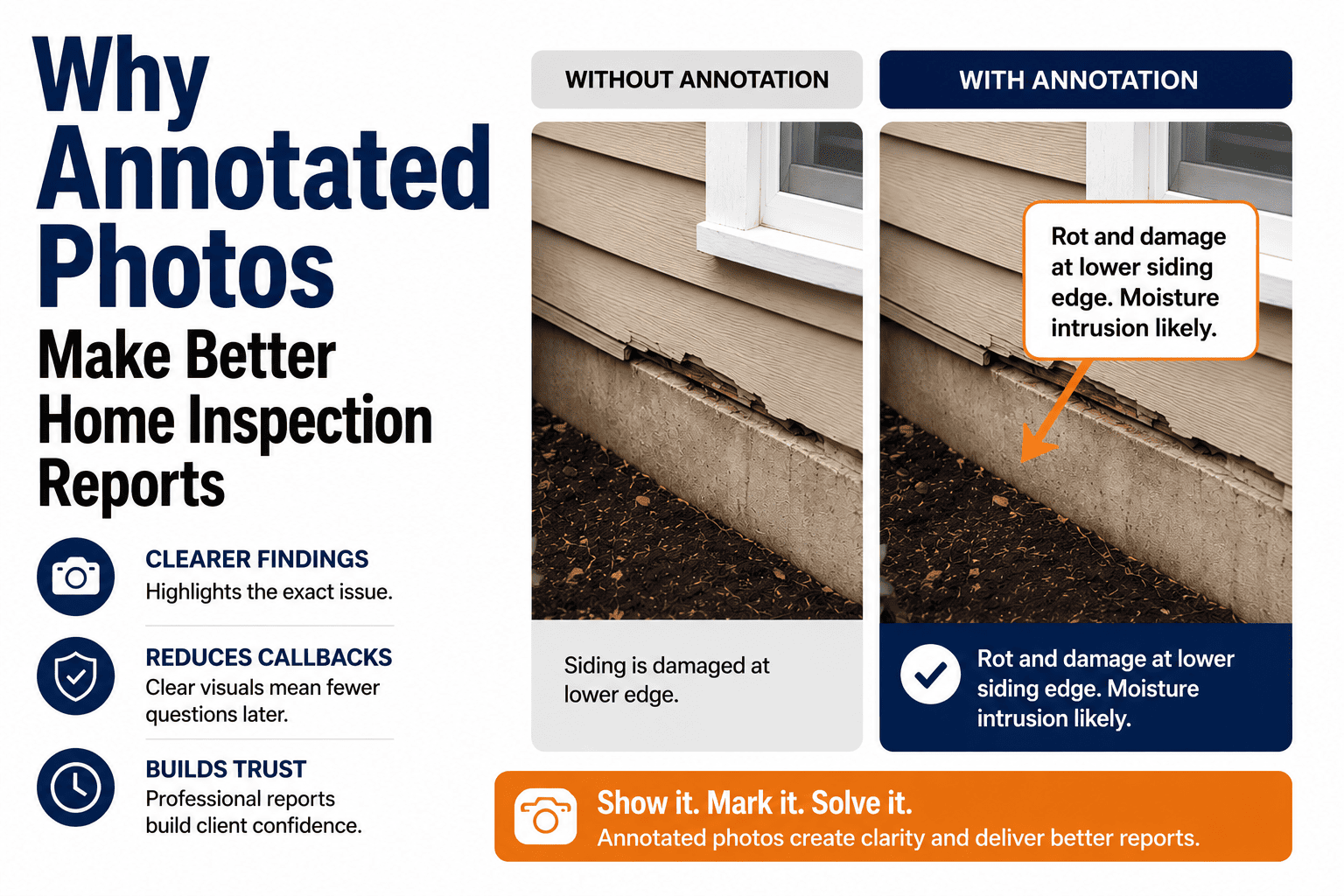
Automatic photo import, intelligent sizing and placement, caption generation, annotation capabilities, and organization features that transform hundreds of inspection photos into well-documented visual evidence without tedious manual formatting.
Automated Report Generation
One-click report creation that compiles inspection data, photos, observations, and narratives into polished PDF documents with consistent formatting, professional layouts, and comprehensive content requiring minimal manual editing before client delivery.
Key Features of the PDF Report System
The HomeInspecto PDF report system incorporates multiple interconnected features working together to streamline documentation workflows. Template Library provides professionally designed report structures covering diverse inspection types, property categories, and regulatory environments—eliminating the need to create report formats from scratch while ensuring consistency across all inspections. Templates include pre-defined sections, standardized language, appropriate legal disclaimers, and logical information flow that meets industry best practices and client expectations.
Photo Management enables efficient documentation through automatic photo import from mobile devices, intelligent organization by room or system, caption and annotation capabilities, quality optimization for file size management, and flexible placement options. The system handles technical aspects of image integration—proper sizing, resolution optimization, layout management—that otherwise consume significant time in manual report preparation.
Narrative Generation accelerates content creation through pre-written templates for common conditions, observations, and recommendations that inspectors customize for specific property circumstances. The system suggests relevant narrative based on checklist selections, defect categories, and inspection findings while allowing complete flexibility for unique situations requiring custom descriptions. Summary Sections automatically compile key findings, major concerns, and recommended actions from detailed observations, providing clients with quick-reference overviews of critical issues without requiring manual consolidation.
Customization Capabilities enable branding with company logos, color schemes, contact information, and personalized templates reflecting individual business identity. Inspectors can modify section structures, add custom checklists, create specialized templates for unique inspection types, and adjust formatting preferences while maintaining professional presentation standards. Quality Control features including spell-checking, completeness verification, and consistency validation help catch errors before report delivery, protecting professional reputation and reducing liability risks from incomplete or inaccurate documentation.
Why Professional PDF Reports Matter: Building Trust and Credibility
Professionalism in report presentation directly influences how clients, real estate professionals, and industry peers perceive inspector competence and credibility. A polished, comprehensive, well-organized report signals attention to detail, technical expertise, and business professionalism that justifies premium pricing and generates referrals. Conversely, poorly formatted reports with inconsistent presentation, missing information, or unprofessional appearance undermine confidence regardless of inspection thoroughness, creating doubts about overall service quality that damage reputation and limit business growth.
In competitive markets where multiple inspectors vie for each opportunity, report quality serves as differentiator that influences hiring decisions and repeat business. Real estate agents recommending inspectors to their clients evaluate not just technical competence but also documentation quality that reflects positively on their professional judgment. Agents consistently referring business prefer inspectors whose reports impress clients, satisfy lenders, facilitate transactions smoothly, and minimize post-inspection complications arising from unclear or incomplete documentation.
From liability perspective, comprehensive, well-documented reports provide essential protection against professional disputes or legal challenges. Detailed observations, clear photos, specific recommendations, and appropriate disclaimers establish what inspectors observed, reported, and advised—creating defensible records if questions arise months or years later. Poor documentation leaves gaps that undermine defense positions and create unnecessary risk exposure that proper reporting practices would prevent. Professional PDF reports thus represent both business development tools and risk management necessities that successful inspectors cannot afford to compromise. Start your free trial to experience how HomeInspecto elevates your report professionalism.
Create Professional PDF Reports That Win Clients
Discover how HomeInspecto's intuitive report tools enable you to produce impressive, comprehensive documentation that differentiates your business and delights clients with every inspection.
Start Free Trial Contact SupportBenefits: Speed, Detail, and Efficient Delivery
The HomeInspecto PDF report system delivers substantial benefits across multiple operational dimensions that collectively enhance business performance, client satisfaction, and inspector productivity. Organizations leveraging the platform's full capabilities consistently report significant improvements in report preparation time, documentation quality, client satisfaction, and overall business efficiency that translate directly into improved profitability and competitive positioning.
Exceptional Speed: Reducing Report Creation Time
Speed represents one of the most immediately impactful benefits of the HomeInspecto system, with users typically reporting 50-70% reductions in report preparation time compared to previous methods or competing platforms. This efficiency gain stems from multiple time-saving features working synergistically: automated photo import and placement eliminates manual file management and formatting, pre-written narrative templates reduce typing requirements, automatic summary generation eliminates manual content consolidation, standardized templates provide consistent structures requiring minimal customization, and one-click report generation compiles everything instantly without manual assembly.
The time savings compound across multiple inspections weekly, enabling inspectors to complete more inspections per day, reduce evening and weekend work hours previously spent on report preparation, respond faster to client requests for expedited reports, and maintain better work-life balance. For many inspectors, faster report turnaround becomes competitive advantage enabling same-day or next-day delivery that exceeds client expectations and differentiates service from competitors requiring 2-3 days for report completion.
Efficiency gains also reduce administrative overhead and staffing requirements. Inspectors operating solo can handle higher inspection volumes without hiring administrative support, while multi-inspector firms reduce back-office staffing needs as field inspectors complete reports independently without requiring dedicated report writers. The productivity improvements typically justify platform investment within first few months through increased revenue capacity or reduced labor costs.
Enhanced Detail: Comprehensive Documentation
Report completeness and detail quality improve substantially when using purpose-built inspection software versus generic tools or manual methods. HomeInspecto's structured checklists ensure systematic coverage of all property systems and components, reducing risks of overlooked items that could create liability exposure. The platform prompts inspectors to document observations comprehensively through guided workflows, predefined categories, and completeness verification that catch gaps before report finalization.
Photo documentation capabilities enable thorough visual evidence supporting observations and recommendations. The system facilitates capturing, organizing, and integrating hundreds of photos per inspection—a volume impractical with manual methods where photo management becomes prohibitively time-consuming. Comprehensive photo documentation provides clients with clear understanding of reported conditions, supports recommendations for repairs or further evaluation, protects inspectors against claims of inadequate documentation, and creates valuable records for future reference or dispute resolution.
Narrative templates ensure observations include relevant technical details, proper terminology, clear descriptions, and appropriate recommendations without requiring inspectors to compose detailed explanations from scratch for every common condition. Pre-written content maintained by industry experts reflects best practices, proper terminology, and legally sound language that individual inspectors might not consistently achieve when writing custom narratives repeatedly throughout busy workdays. The combination of systematic data collection, comprehensive photo integration, and professional narrative content produces reports with detail depth that enhances credibility and value.
Streamlined Delivery: Multiple Distribution Options
Report delivery represents the final critical touchpoint in client experience, and HomeInspecto provides flexible options ensuring convenient access for all stakeholders. Direct email delivery with PDF attachments provides traditional distribution method familiar to all clients while cloud-based links enable viewing reports online without downloading large files—particularly valuable for clients accessing reports from mobile devices with limited storage. The platform supports sending reports to multiple recipients simultaneously, accommodating situations where clients, real estate agents, lenders, and other parties all require access.
Secure client portals provide centralized locations where clients can access current reports and historical documentation from previous inspections—valuable for property owners maintaining inspection records over time. Automated delivery notifications inform clients when reports are ready, eliminating the need for manual follow-up calls or emails. The system tracks delivery confirmations and client access, providing documentation that reports were delivered as required and creating accountability records protecting against claims of non-receipt.
For inspectors juggling multiple concurrent inspections, the system manages delivery logistics automatically—sending reports to correct recipients, maintaining organized records, and preventing delivery errors that could embarrass professionals or breach confidentiality. The reliability and efficiency of automated delivery systems frees inspectors from administrative burdens while ensuring consistent, professional client experiences that strengthen satisfaction and referral generation.
Key Benefits of HomeInspecto PDF Reports:
- 60% Faster Creation: Automated workflows slash report preparation time
- Professional Templates: Industry-standard formats ensure consistency and quality
- Unlimited Photo Integration: Comprehensive visual documentation supports observations
- Automated Summaries: Key findings compiled instantly without manual work
- Custom Branding: Personalize reports with your company identity
- Multiple Delivery Options: Email, cloud links, or secure portals for client convenience
- Quality Control Tools: Built-in verification catches errors before delivery
How to Create PDF Reports: Step-by-Step Process
Creating professional PDF reports with HomeInspecto follows a systematic workflow designed to be intuitive while ensuring comprehensive documentation. This section provides detailed guidance through each step of the report creation process, from initial setup through final delivery, enabling inspectors to maximize platform capabilities and produce consistently excellent results.
Begin each inspection by creating a new report within the HomeInspecto mobile app or web platform, entering basic property information including address, client details, inspection date, and property characteristics. Select appropriate report template based on inspection type (residential, commercial, specialized), property specifics (single-family, multi-unit, age, size), and regional requirements (state-specific standards or disclosures). Template selection determines report structure, included sections, default checklists, and narrative options—foundational decisions influencing documentation completeness and appropriateness.
During property inspection, use the mobile app to systematically document observations by navigating through pre-defined checklists covering all major systems and components. For each area inspected, select condition ratings (satisfactory, marginal, defective), add specific observations describing conditions found, capture photos documenting normal conditions and deficiencies, and attach photos to relevant observations with descriptive captions. The app's offline functionality ensures uninterrupted documentation even in properties without internet connectivity, with automatic synchronization once connection is restored. Efficient photo management features including batch capture, quick captioning, and automatic organization by location streamline field documentation enabling thorough visual records without workflow disruption.
For significant findings requiring detailed explanation, utilize pre-written narrative templates as starting points then customize content to reflect specific property conditions. The platform suggests relevant narratives based on checklist selections and defect categories while allowing complete flexibility for unique situations. Add technical details, measurements, specific locations, severity assessments, and recommendations appropriate to identified conditions. For common issues, pre-written content ensures consistent quality and appropriate language without requiring composition from scratch, while custom narratives address unique circumstances requiring individualized descriptions.
After completing field documentation, review the inspection data for completeness, accuracy, and clarity. The platform's quality control features flag missing information, incomplete sections, photos lacking captions, and potential inconsistencies requiring attention before report generation. Make necessary corrections or additions ensuring comprehensive documentation. Generate automatic summary sections compiling major findings, safety concerns, and priority recommendations from detailed observations—providing clients with executive overview highlighting critical issues without reading entire report. Review generated summaries ensuring accuracy and appropriate emphasis while leveraging automation to eliminate manual compilation labor.
When documentation is complete and verified, initiate one-click PDF report generation. The platform compiles all inspection data, photos, observations, narratives, and summaries into professionally formatted PDF document following selected template structure. Review the generated PDF ensuring formatting appears as intended, photos display correctly, content flows logically, and presentation meets quality standards. Apply any final customizations including additional branding elements, custom cover pages, or supplementary documents. Deliver completed report via preferred method—direct email to client and relevant parties, secure cloud link for online access, or client portal upload. The system tracks delivery confirmation and provides documentation that reports were sent as required, completing the inspection workflow professionally and efficiently.
Pro Tips for Optimal Report Quality
Maximize HomeInspecto PDF report quality through best practices developed by experienced users. Photo Quality directly impacts report professionalism—ensure adequate lighting, focus, and framing when capturing images. Take multiple shots of complex conditions from different angles providing comprehensive visual documentation. Use annotation features to highlight specific defects or areas of concern within photos, helping clients understand observations clearly without requiring technical expertise to identify issues in images.
Narrative Clarity enhances report value and reduces client confusion or follow-up questions. Write observations in clear, jargon-free language accessible to non-technical audiences while maintaining professional terminology appropriate for the industry. Balance technical accuracy with readability, explaining what conditions mean for property safety, functionality, and maintenance needs. Include specific recommendations with sufficient detail that clients understand what actions are advised without being overly prescriptive about implementation methods better determined by qualified contractors.
Organization and Structure improve report usability and client satisfaction. Utilize the platform's section organization features to group related observations logically, making information easy to locate and understand. Ensure summary sections accurately reflect report body content and appropriately prioritize findings by severity and urgency. Include comprehensive table of contents enabling clients to navigate large reports efficiently. Maintain consistent formatting, terminology, and organization across all reports establishing recognizable professional standards that clients and referral sources associate with your service quality. For detailed guidance on maximizing photo capabilities, contact our support team for personalized training and tips.
Case Study: Inspector Praises HomeInspecto Reports
Real-world experiences from practicing inspectors provide valuable insights into how HomeInspecto PDF reports impact business performance, client satisfaction, and professional reputation. This case study examines one inspector's experience transitioning to the platform and the tangible benefits realized through improved report capabilities.
Transformation Story: From Manual Methods to Digital Excellence
Mike Stevens, a licensed home inspector operating in the Pacific Northwest for twelve years, struggled with report preparation consuming 3-4 hours after each inspection using a combination of word processing software, photo editing tools, and manual assembly processes. The time-consuming workflow limited his capacity to three inspections per day maximum, forced evening and weekend work to complete reports, and created stress from delayed report delivery frustrating clients accustomed to faster turnaround from competitors using modern software.
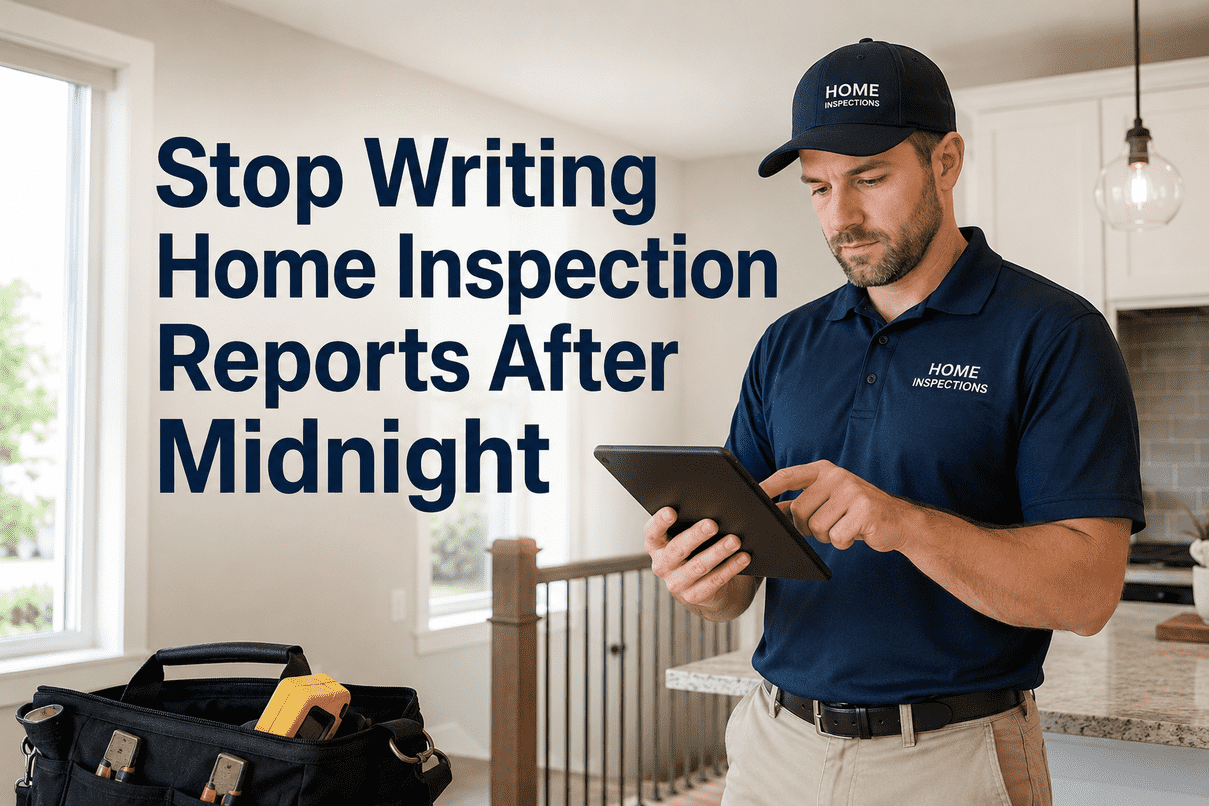
After transitioning to HomeInspecto, Mike immediately noticed dramatic efficiency improvements. "The first report I created took about 45 minutes instead of my usual 3+ hours. I couldn't believe how much easier everything was—photos automatically organized and sized correctly, narratives suggested based on my observations, summary sections generated instantly. It felt almost too easy compared to my old process, but the quality actually improved because I wasn't rushing through formatting just to finish reports before midnight."
The time savings enabled Mike to increase his inspection volume by 40% without adding work hours, improving monthly revenue while maintaining better work-life balance. "I can now comfortably handle four inspections daily and still deliver reports within 24 hours. Clients love the fast turnaround and professional presentation. Real estate agents who previously used other inspectors have started referring me because their clients consistently praise my reports. The platform paid for itself within the first month just from increased capacity, not even counting the referral business generated by better reports."
Specific Features Making the Difference
Mike highlights several HomeInspecto capabilities that particularly transformed his reporting process. The automated photo integration eliminated his previous workflow of manually downloading photos from his camera, organizing files in folders, resizing images, inserting them individually into word documents, and adjusting layouts when additions caused formatting chaos. "Now I just take photos during the inspection, and they're automatically in the right sections with proper sizing. If I need to add or remove photos, everything adjusts automatically without breaking the formatting. That alone saved me an hour per report."
Pre-written narrative templates dramatically reduced typing requirements while improving content quality and consistency. "I used to struggle writing clear descriptions of common issues repeatedly throughout the day, and by the third or fourth inspection, my narratives got shorter and less detailed just because I was mentally tired of explaining the same things. The templates ensure every client gets thorough, professional explanations regardless of whether theirs is my first inspection of the day or my fourth. I still customize the content for specific conditions, but having quality starting points makes a huge difference."
The automatic summary generation feature particularly impressed Mike's clients and referral sources. "Real estate agents tell me their clients love the summary section at the beginning highlighting major issues and recommended actions. Before HomeInspecto, I would skip creating summaries because it took too long to manually compile key findings from the full report. Now the platform does it automatically, and clients consistently mention how helpful it is to have that executive overview. It's become a differentiator that agents specifically mention when recommending me to their clients." Additional insights from users like Mike can be found in our comprehensive collection of authentic feedback—explore diverse perspectives and experiences to understand how HomeInspecto impacts different inspection businesses.
Reduction in report preparation time
Increase in daily inspection capacity
Consistent report delivery timeframe
Client satisfaction with report quality
Advanced Report Features and Customization
Beyond basic report creation, HomeInspecto provides advanced features enabling sophisticated customization, specialized documentation, and enhanced presentation that further differentiate inspection services and address unique business requirements or market segments demanding capabilities exceeding standard reporting functionality.
Custom Template Creation for Specialized Inspections
While standard templates satisfy most residential inspection needs, inspectors conducting specialized assessments—commercial properties, historic buildings, multi-family developments, specialized systems like pools or septic systems—benefit from creating custom templates tailored to unique documentation requirements. The platform enables template customization including adding specialized sections, creating custom checklists, defining unique narrative categories, incorporating industry-specific terminology, and establishing report structures reflecting particular inspection standards or client expectations.
Custom templates ensure consistent documentation across similar inspection types while providing appropriate level of detail and technical specificity required for specialized work. Once created, templates can be reused indefinitely, saved to template libraries, shared across multi-inspector firms, and refined based on experience—enabling continuous improvement of documentation approaches without starting from scratch for each specialized inspection type.
Branding and Professional Identity
Report branding features allow inspectors to establish distinctive professional identities that clients and referral sources recognize and remember. Customization options include company logos on cover pages and headers, custom color schemes matching business branding, personalized disclaimers and limitation statements reflecting specific business practices, contact information and business details prominently displayed, and custom cover page designs creating memorable first impressions.
Consistent, professional branding across all reports creates cohesive business identity that enhances perceived professionalism and market positioning. Clients receiving multiple inspection proposals often make decisions based partially on report samples, and well-branded, professional presentations can differentiate services from competitors using generic templates that lack distinctive identity or premium appearance justifying higher pricing.
Multi-Inspector Collaboration and Quality Consistency
For firms employing multiple inspectors, maintaining quality consistency across different staff members' reports represents significant challenge using traditional tools where each inspector develops individual styles and standards. HomeInspecto's enterprise features support standardization including shared template libraries ensuring all inspectors use consistent formats, company-wide narrative libraries maintaining consistent language and quality, administrative oversight capabilities allowing supervisors to review reports before delivery, quality control checklists verifying completeness and accuracy, and reporting analytics identifying consistency variations requiring training or correction.
These capabilities enable firms to scale operations while maintaining the quality standards and documentation consistency that established their reputation, protecting against dilution of service quality as businesses grow and add staff members with varying experience levels and report writing capabilities.
Common Challenges and Troubleshooting
While HomeInspecto streamlines report creation significantly, users occasionally encounter challenges or questions during implementation and daily use. Understanding common issues and their solutions enables inspectors to maximize platform effectiveness while minimizing frustration or workflow disruptions.
Photo File Size and Loading
Large report files with hundreds of high-resolution photos can become unwieldy, causing slow loading times or delivery challenges. The platform includes automatic image compression maintaining visual quality while reducing file sizes, but users can adjust compression settings balancing quality versus file size based on specific needs.
Template Selection Confusion
New users sometimes struggle choosing appropriate templates among extensive library options. Starting with standard residential template for typical inspections then exploring specialized options as needed provides logical progression. Support team offers guidance matching templates to specific inspection types and requirements.
Narrative Customization Learning Curve
Effectively customizing pre-written narratives requires practice balancing efficiency of templates with specific property condition details. Review narrative libraries during non-inspection time, experiment with customization approaches, and develop personal workflow for efficient template utilization and property-specific modifications.
Offline Synchronization Delays
Occasionally, offline data may not synchronize immediately when connectivity is restored, particularly with poor network connections or large data volumes. Ensure adequate time for synchronization before assuming data loss, verify successful sync through app indicators, and maintain awareness of sync status to prevent duplicate data entry.
Report Formatting Adjustments
Generated PDFs occasionally require formatting adjustments for specific situations or preferences. Understanding available customization options, working with support team to refine template configurations, and establishing personal preferences through initial setup reduces ongoing adjustment needs after reports generate.
Client Portal Access Issues
Clients sometimes report difficulty accessing reports through portal links due to email filters, account setup problems, or user error. Providing clear access instructions, offering alternative delivery methods, and maintaining responsive support for client technical assistance ensures reliable report delivery despite occasional access challenges.
Getting Help When You Need It
When encountering challenges beyond simple troubleshooting, HomeInspecto's support resources provide multiple assistance options. Comprehensive help documentation includes step-by-step guides, video tutorials, best practice articles, and troubleshooting references covering common questions and scenarios. The support knowledge base enables self-service problem solving for many routine questions without waiting for direct assistance.
For issues requiring personalized help, the support team provides responsive assistance through email, phone, and live chat channels. Support staff with deep product knowledge and home inspection industry understanding provide practical guidance addressing specific situations, technical problems, or workflow optimization questions. Many users report that support quality differentiates HomeInspecto from competitors where assistance is impersonal, slow, or provided by staff lacking inspection industry familiarity. Contact our dedicated support team whenever you need personalized assistance, training, or guidance optimizing your report workflows.
Conclusion: Master PDF Reports for Business Success
Professional PDF report creation represents essential capability for modern home inspection businesses seeking to compete effectively, satisfy clients, generate referrals, and build sustainable practices in increasingly competitive markets where documentation quality influences hiring decisions and professional reputation. The ability to produce polished, comprehensive, well-organized reports efficiently separates thriving inspection businesses from struggling competitors unable to meet contemporary client expectations or achieve the operational efficiency necessary for profitability.
HomeInspecto provides comprehensive tools, templates, automation, and support enabling inspectors at all experience levels to create exceptional reports in fraction of the time required by traditional methods or competing platforms. The combination of intuitive workflows, professional templates, seamless photo integration, automated summarization, flexible customization, and reliable delivery creates documentation capabilities that enhance business performance across multiple dimensions—operational efficiency, client satisfaction, professional reputation, competitive differentiation, and risk management.
Mastering the platform's capabilities through systematic learning, consistent practice, and continuous refinement enables inspectors to leverage full potential of modern documentation technology while focusing energy on inspection quality and client service rather than administrative burden and technical formatting challenges. The investment in learning efficient report creation workflows pays sustained dividends through improved productivity, enhanced professional image, and strengthened competitive positioning that drive business growth and long-term success.
Ready to transform your inspection reports? Start your free trial today and experience firsthand how HomeInspecto's intuitive tools, professional templates, and powerful automation enable you to create impressive documentation that delights clients, generates referrals, and positions your business for sustained growth. Join hundreds of successful inspectors who have mastered professional report creation with HomeInspecto—discover how modern technology can elevate your practice and enhance your professional reputation starting with your very next inspection!
Frequently Asked Questions
How long does it take to create a PDF report with HomeInspecto?
Report creation time varies based on inspection complexity, property size, and documentation thoroughness, but most inspectors report 50-70% time reductions compared to previous methods. Typical residential inspection reports that previously required 2-4 hours can be completed in 45-90 minutes using HomeInspecto's automated workflows, photo integration, and pre-written narratives. The actual report generation process—compiling all data and photos into finished PDF—takes just seconds with one-click automation. Time savings accumulate from multiple efficiency improvements: automatic photo organization and sizing eliminating manual file management, pre-written narrative templates reducing typing requirements, automated summary generation removing manual compilation, standardized templates providing proven structures requiring minimal customization, and integrated workflow eliminating data transfer between multiple programs. As inspectors become proficient with the platform and develop personalized workflows, efficiency continues improving through experience and optimization of personal practices.
Can I customize report templates to match my business branding?
Yes, HomeInspecto provides extensive customization capabilities enabling inspectors to create distinctive professional identities through personalized report branding. Customization options include adding company logos to cover pages, headers, and footers, selecting custom color schemes matching business branding throughout reports, creating personalized cover page designs with unique layouts and imagery, modifying section structures and organization to reflect individual preferences or specialized inspection approaches, adding custom disclaimers and limitation statements specific to business practices, incorporating contact information and company details prominently, and saving customized templates for reuse across all future inspections. Multi-inspector firms can establish standardized templates ensuring consistent branding and quality across all staff members. The platform balances customization flexibility with professional presentation standards, ensuring that personalized reports maintain the polished appearance and comprehensive structure expected by clients, real estate professionals, and lending institutions. Branding consistency creates recognizable professional identity that clients and referral sources associate with your service quality and reliability.
How many photos can I include in a single report?
HomeInspecto supports virtually unlimited photo integration within reports, with many comprehensive inspections including 300-500+ images documenting all property systems, components, conditions, and deficiencies. The platform handles large photo volumes efficiently through automatic optimization, intelligent sizing and placement, efficient file compression maintaining visual quality while managing file sizes, and robust infrastructure supporting large report files without performance degradation. Unlike some competing platforms limiting photo quantities or requiring manual photo selection due to technical constraints, HomeInspecto enables thorough visual documentation without artificial restrictions. Comprehensive photo documentation provides clients with clear understanding of property conditions, supports observations and recommendations with visual evidence, protects inspectors against claims of inadequate documentation, and creates valuable records for future reference. The photo management system organizes images by location, system, or defect category, automatically integrates photos with relevant observations, enables captions and annotations highlighting specific concerns, and maintains high resolution for detailed review while optimizing files for efficient delivery and client viewing.
What file formats are supported for report delivery?
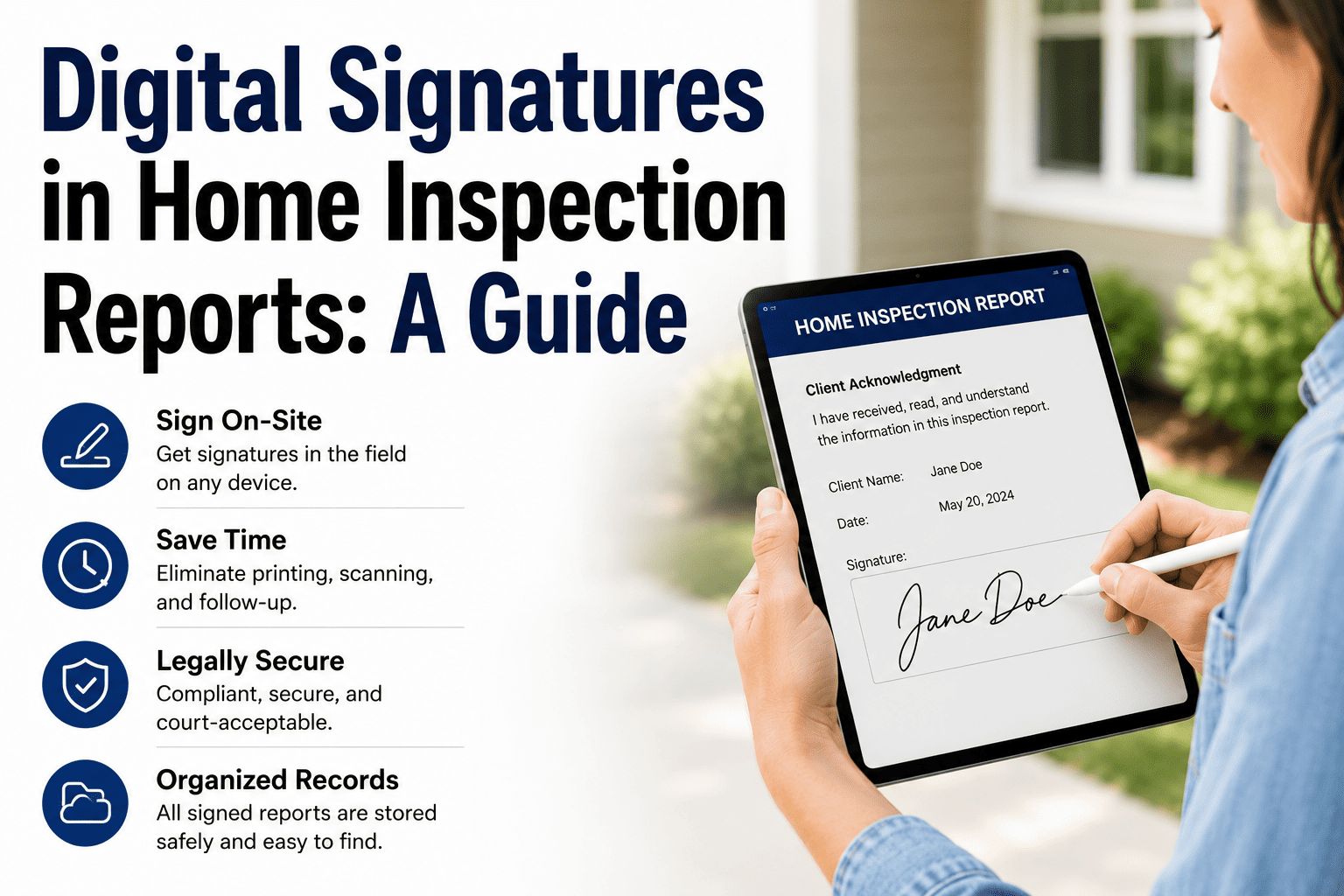
HomeInspecto generates reports in PDF format—the industry standard for professional inspection documentation recognized universally by clients, real estate professionals, lenders, and attorneys. PDF format ensures consistent appearance across all devices and operating systems, prevents accidental or unauthorized modifications after delivery, maintains professional formatting and layout integrity, supports comprehensive integration of text, photos, and graphics, enables electronic signatures and annotations when needed, and complies with industry standards and regulatory requirements. The platform offers multiple delivery methods for PDF reports including direct email attachment for traditional distribution, secure cloud links enabling online viewing without downloading large files, client portal access for centralized document storage and retrieval, and download options for clients preferring local file storage. For users requiring alternative formats for specific purposes, PDF files can be easily converted to other formats using widely available tools, though PDF remains the recommended format for official inspection report documentation ensuring professional presentation and universal accessibility.
Can I edit reports after they've been generated?
Yes, HomeInspecto allows report editing both before and after initial PDF generation, providing flexibility to make corrections, add supplementary information, or adjust content based on post-inspection developments. Before generating the PDF, all inspection data, photos, observations, and narratives remain fully editable—enabling comprehensive review and refinement ensuring accuracy and completeness before finalizing reports for delivery. After PDF generation, inspectors can return to the underlying data, make necessary changes, and regenerate updated reports reflecting modifications. This capability proves valuable when discovering errors after initial review, receiving additional information from clients or contractors, needing to clarify observations based on client questions, or adding supplementary documentation after initial report delivery. The platform maintains version control and audit trails documenting report modifications, creation dates, and delivery records—important for professional liability purposes ensuring transparent documentation of all report versions and changes made after initial creation. While editing flexibility provides valuable insurance against minor errors or evolving information, thorough review before initial delivery remains best practice minimizing the need for subsequent revisions and ensuring professional first impressions.
Start Creating Professional PDF Reports Today
Join hundreds of successful inspectors using HomeInspecto to produce impressive reports that win clients, generate referrals, and differentiate their businesses through documentation excellence.
Start Free Trial Contact Support